| 1 |
# Tikz page |
| 2 |
|
| 3 |
Small macro to help building nice and complex page layout materials. |
| 4 |
|
| 5 |
|
| 6 |
## Build |
| 7 |
|
| 8 |
You can build the whole package using the `make` command. |
| 9 |
|
| 10 |
## Installation |
| 11 |
|
| 12 |
To install the `tkiz-page` package copy its directory to either to: |
| 13 |
|
| 14 |
- `$TEXHOME/tex/latex/` |
| 15 |
- `$TEXMFHOME/tex/latex/` |
| 16 |
- `~/texmf/tex/latex/` |
| 17 |
- `~/Library/texmf/tex/latex/` |
| 18 |
|
| 19 |
|
| 20 |
## Usage |
| 21 |
|
| 22 |
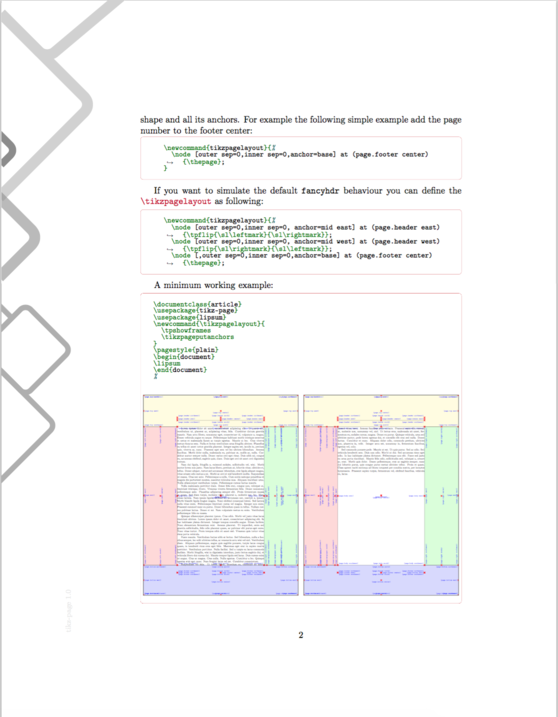
A simple page: |
| 23 |
|
| 24 |
````Tex |
| 25 |
\documentclass{article} |
| 26 |
\usepackage{tikz-page} |
| 27 |
\usepackage{lipsum} |
| 28 |
\newcommand{\tikzpagelayout}{ |
| 29 |
\tpshowframes |
| 30 |
\tikzpageputanchors |
| 31 |
} |
| 32 |
\pagestyle{plain} |
| 33 |
\begin{document} |
| 34 |
\lipsum |
| 35 |
\end{document} |
| 36 |
```` |
| 37 |
|
| 38 |
A more complex document: |
| 39 |
|
| 40 |
```Tex |
| 41 |
\documentclass{article} |
| 42 |
\usepackage{tikz-page} |
| 43 |
\usepackage{lipsum} |
| 44 |
\definecolor{halfgray}{gray}{0.55} |
| 45 |
\newcommand\anglei{-45} |
| 46 |
\newcommand\angleii{45} |
| 47 |
\newcommand\angleiii{225} |
| 48 |
\newcommand\angleiv{135} |
| 49 |
\newcommand{\tikzpagelayout}{ |
| 50 |
\tpflip{ |
| 51 |
\coordinate (aux1) at ([yshift=-15pt]page.northeast); |
| 52 |
\coordinate (aux2) at ([yshift=-410pt]page.northeast); |
| 53 |
\coordinate (aux3) at ([xshift=-4.5cm]page.northeast); |
| 54 |
\coordinate (aux4) at ([yshift=-150pt]page.northeast); |
| 55 |
}{ |
| 56 |
\coordinate (aux1) at ([yshift=-15pt]page.northwest); |
| 57 |
\coordinate (aux2) at ([yshift=-410pt]page.northwest); |
| 58 |
\coordinate (aux3) at ([xshift=4.5cm]page.northwest); |
| 59 |
\coordinate (aux4) at ([yshift=-150pt]page.northwest); |
| 60 |
\renewcommand\anglei{-135} |
| 61 |
\renewcommand\angleii{135} |
| 62 |
\renewcommand\angleiii{-45} |
| 63 |
\renewcommand\angleiv{45} |
| 64 |
} |
| 65 |
\begin{scope}[halfgray!40,line width=12pt,rounded corners=12pt] |
| 66 |
\draw (aux1) -- coordinate (a) ++(\angleiii:5) -- ++(\anglei:5.1) coordinate (b); |
| 67 |
\draw[shorten <= -10pt] (aux3) -- (a) -- (aux1); |
| 68 |
\draw[opacity=0.6,halfgray,shorten <= -10pt] (b) -- ++(\angleiii:2.2) -- ++(\anglei:2.2); |
| 69 |
\end{scope} |
| 70 |
\draw[halfgray,line width=8pt,rounded corners=8pt,shorten <= -10pt] |
| 71 |
(aux4) -- ++(\angleiii:0.8) -- ++(\anglei:0.8); |
| 72 |
\begin{scope}[halfgray!70,line width=6pt,rounded corners=8pt] |
| 73 |
\draw[shorten <= -10pt] (aux2) -- ++(\angleiii:3) coordinate[pos=0.45] (c) -- ++(\anglei:3.1); |
| 74 |
\draw (aux2) -- (c) -- ++(\angleiv:2.5) -- ++(\angleii:2.5) -- ++(\anglei:2.5) coordinate[pos=0.3] (d); |
| 75 |
\draw (d) -- +(\angleii:1); |
| 76 |
\end{scope} |
| 77 |
} |
| 78 |
\pagestyle{plain} |
| 79 |
\begin{document} |
| 80 |
\lipsum |
| 81 |
\end{document} |
| 82 |
``` |
| 83 |
|
| 84 |
See [tikz-page.pdf](tikz-page.pdf) for further help. |
| 85 |
|
| 86 |
|
| 87 |
## Example |
| 88 |
|
| 89 |
 |
| 90 |
|
| 91 |
## License |
| 92 |
|
| 93 |
This program is free software. It comes without any warranty, to the extent |
| 94 |
permitted by applicable law. You can redistribute it and/or modify it under |
| 95 |
the terms of the Do What The Fuck You Want To Public License, Version 2, as |
| 96 |
published by Sam Hocevar. See http://sam.zoy.org/wtfpl/COPYING for more |
| 97 |
details. |
| 98 |
|
| 99 |
This file may be distributed and/or modified under the conditions of |
| 100 |
the LaTeX Project Public License, either version 1.3c of this license |
| 101 |
or (at your option) any later version. The latest version of this |
| 102 |
license is in: |
| 103 |
|
| 104 |
http://www.latex-project.org/lppl.txt |
| 105 |
|
| 106 |
and version 1.3c or later is part of all distributions of LaTeX |
| 107 |
version 2006/05/20 or later. |