| 1 |
--- |
| 2 |
title: "Subsetting" |
| 3 |
output: rmarkdown::html_vignette |
| 4 |
vignette: > |
| 5 |
%\VignetteIndexEntry{subset} |
| 6 |
%\VignetteEngine{knitr::rmarkdown} |
| 7 |
%\VignetteEncoding{UTF-8} |
| 8 |
--- |
| 9 |
|
| 10 |
<style type="text/css"> |
| 11 |
.dftbl { |
| 12 |
width: 100%; |
| 13 |
table-layout: fixed; |
| 14 |
display: inline-table; |
| 15 |
} |
| 16 |
|
| 17 |
.error pre code { |
| 18 |
color: red; |
| 19 |
} |
| 20 |
|
| 21 |
.warning pre code { |
| 22 |
color: violet; |
| 23 |
} |
| 24 |
</style> |
| 25 |
|
| 26 |
```{r, include = FALSE} |
| 27 |
knitr::opts_chunk$set( |
| 28 |
error = TRUE, |
| 29 |
collapse = TRUE, |
| 30 |
comment = "#>" |
| 31 |
) |
| 32 |
|
| 33 |
tibble:::set_dftbl_hooks() |
| 34 |
|
| 35 |
options( |
| 36 |
lifecycle_disable_warnings = FALSE, |
| 37 |
lifecycle_verbose_soft_deprecation = TRUE, |
| 38 |
lifecycle_repeat_warnings = TRUE |
| 39 |
) |
| 40 |
``` |
| 41 |
|
| 42 |
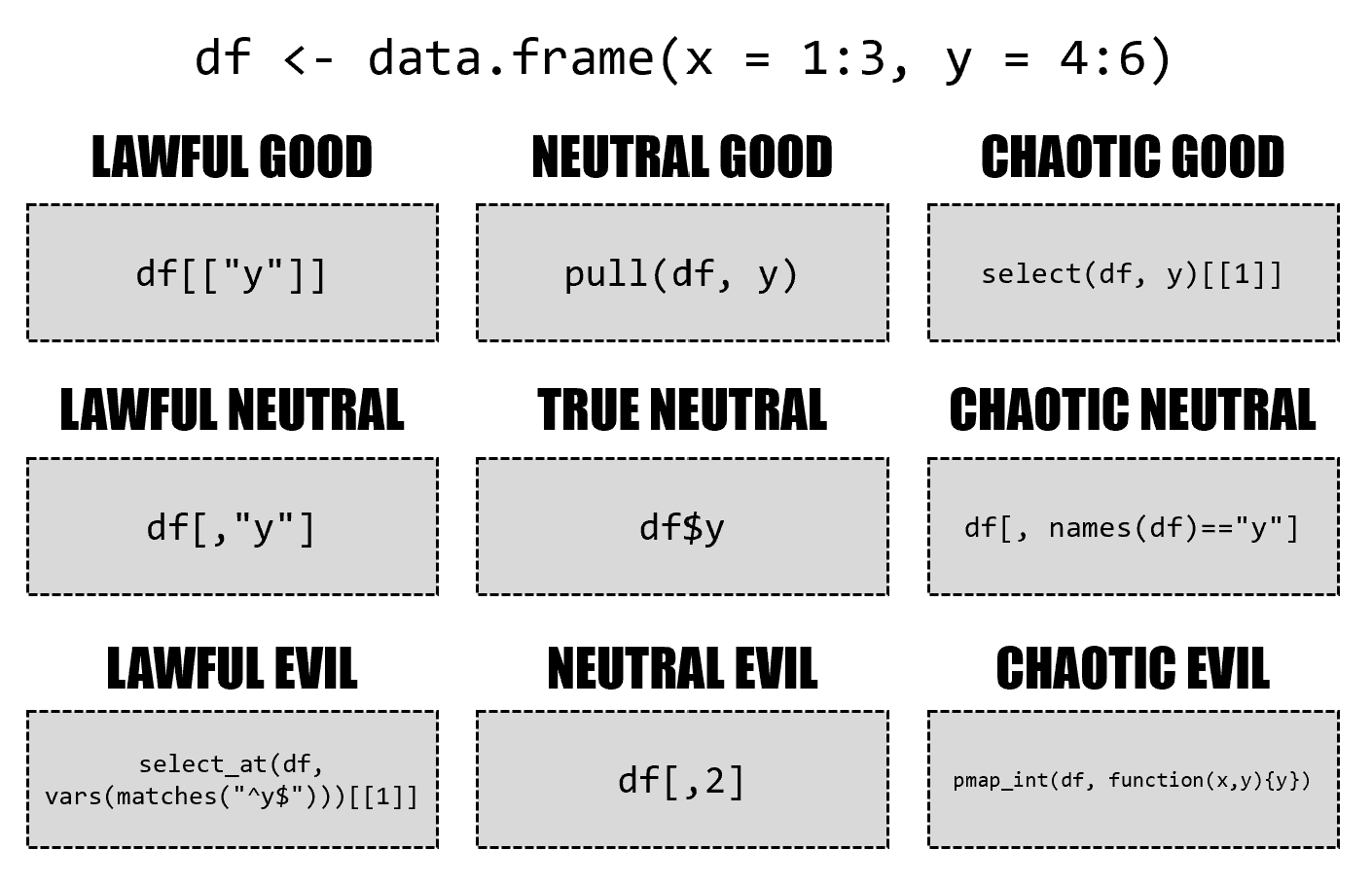
There are many, many ways to subset data frames and tibbles. |
| 43 |
|
| 44 |
<figure> |
| 45 |
[{ width=100% }](https://twitter.com/skyetetra/status/1160012260456062977) |
| 46 |
<figcaption> |
| 47 |
Drawing by [Jacqueline Nolis](https://twitter.com/skyetetra/status/1160012260456062977) |
| 48 |
</figcaption> |
| 49 |
</figure> |
| 50 |
|
| 51 |
This vignette is an attempt to provide a comprehensive overview over the behavior of the subsetting operators `$`, `[[` and `[`, highlighting where the tibble implementation differs from the data frame implementation. |
| 52 |
|
| 53 |
```{r setup} |
| 54 |
library(tibble) |
| 55 |
|
| 56 |
new_df <- function() { |
| 57 |
df <- data.frame(a = 1:4) |
| 58 |
df$b <- letters[5:8] |
| 59 |
df$cd <- list(9, 10:11, 12:14, "text") |
| 60 |
df |
| 61 |
} |
| 62 |
|
| 63 |
new_tbl <- function() { |
| 64 |
as_tibble(new_df()) |
| 65 |
} |
| 66 |
``` |
| 67 |
|
| 68 |
Results of the same code for data frames and tibbles are presented side by side: |
| 69 |
|
| 70 |
```{r show, dftbl = TRUE, dftbl_always = TRUE} |
| 71 |
new_df() |
| 72 |
``` |
| 73 |
|
| 74 |
In the following, if the results are identical (after converting to a data frame if necessary), only the tibble result is shown, as in the example below. |
| 75 |
This allows to spot differences easier. |
| 76 |
|
| 77 |
```{r show-compare, dftbl = TRUE} |
| 78 |
new_df() |
| 79 |
``` |
| 80 |
|
| 81 |
Subsetting operations are read-only. |
| 82 |
The same objects are reused in all examples: |
| 83 |
|
| 84 |
```{r ro} |
| 85 |
df <- new_df() |
| 86 |
tbl <- new_tbl() |
| 87 |
``` |
| 88 |
|
| 89 |
## $ |
| 90 |
|
| 91 |
With `$` subsetting, accessing a missing column gives a warning. |
| 92 |
Inexact matching is not supported: |
| 93 |
|
| 94 |
```{r dollar, dftbl = TRUE} |
| 95 |
df$a |
| 96 |
df$"a" |
| 97 |
df$a[2:3] |
| 98 |
df$cd |
| 99 |
df$c |
| 100 |
df$d |
| 101 |
``` |
| 102 |
|
| 103 |
## [[ |
| 104 |
|
| 105 |
The `exact` argument is not supported by tibbles. |
| 106 |
|
| 107 |
```{r double-bracket-col, dftbl = TRUE} |
| 108 |
df[["a"]] |
| 109 |
df[["cd", exact = TRUE]] |
| 110 |
df[["cd", exact = FALSE]] |
| 111 |
df[["c", exact = TRUE]] |
| 112 |
df[["c", exact = FALSE]] |
| 113 |
``` |
| 114 |
|
| 115 |
With two indexes, a single element is returned. |
| 116 |
List columns are not unpacked by tibbles, the `[[` only unpacks columns. |
| 117 |
|
| 118 |
```{r double-bracket-both, dftbl = TRUE} |
| 119 |
df[[2, "a"]] |
| 120 |
df[[2, "cd"]] |
| 121 |
df[[1:2, "cd"]] |
| 122 |
df[[2, "c"]] |
| 123 |
df[[1:2, "c"]] |
| 124 |
``` |
| 125 |
|
| 126 |
Exotic variants like recursive indexing are deprecated for tibbles. |
| 127 |
|
| 128 |
```{r double-bracket-exotic, dftbl = TRUE} |
| 129 |
df[[c(1, 2)]] |
| 130 |
``` |
| 131 |
|
| 132 |
## [ |
| 133 |
|
| 134 |
With `[` subsetting, tibbles always return a tibble. |
| 135 |
The `drop` argument is supported but has different defaults: |
| 136 |
|
| 137 |
```{r bracket-col-one, dftbl = TRUE} |
| 138 |
df["a"] |
| 139 |
df["a", drop = FALSE] |
| 140 |
df["a", drop = TRUE] |
| 141 |
df[1] |
| 142 |
df[0] |
| 143 |
df[4] |
| 144 |
df[NA] |
| 145 |
df[NA_character_] |
| 146 |
df[NA_integer_] |
| 147 |
``` |
| 148 |
|
| 149 |
The same examples are repeated for two-dimensional indexing when omitting the row index: |
| 150 |
|
| 151 |
|
| 152 |
```{r bracket-col-two, dftbl = TRUE} |
| 153 |
df[, "a"] |
| 154 |
df[, "a", drop = FALSE] |
| 155 |
df[, "a", drop = TRUE] |
| 156 |
df[, 1] |
| 157 |
df[, 0] |
| 158 |
df[, 4] |
| 159 |
df[, NA] |
| 160 |
df[, NA_character_] |
| 161 |
df[, NA_integer_] |
| 162 |
``` |
| 163 |
|
| 164 |
Multiple columns can be queried by passing a vector of column indexes (names, positions, or even a logical vector). |
| 165 |
With the latter option, tibbles are a tad stricter: |
| 166 |
|
| 167 |
```{r bracket-col-multi-one, dftbl = TRUE} |
| 168 |
df[c("a", "b")] |
| 169 |
df[character()] |
| 170 |
df[1:2] |
| 171 |
df[1:3] |
| 172 |
df[1:4] |
| 173 |
df[0:2] |
| 174 |
df[-1:2] |
| 175 |
df[-1] |
| 176 |
df[-(1:2)] |
| 177 |
df[integer()] |
| 178 |
df[TRUE] |
| 179 |
df[FALSE] |
| 180 |
df[c(TRUE, TRUE, FALSE)] |
| 181 |
df[c(FALSE, TRUE, FALSE)] |
| 182 |
df[c(FALSE, TRUE)] |
| 183 |
df[c(FALSE, TRUE, FALSE, TRUE)] |
| 184 |
``` |
| 185 |
|
| 186 |
The same examples are repeated for two-dimensional indexing when omitting the row index: |
| 187 |
|
| 188 |
```{r bracket-col-multi-two, dftbl = TRUE} |
| 189 |
df[, c("a", "b")] |
| 190 |
df[, character()] |
| 191 |
df[, 1:2] |
| 192 |
df[, 1:3] |
| 193 |
df[, 1:4] |
| 194 |
df[, 0:2] |
| 195 |
df[, -1:2] |
| 196 |
df[, -1] |
| 197 |
df[, -(1:2)] |
| 198 |
df[, integer()] |
| 199 |
df[, TRUE] |
| 200 |
df[, FALSE] |
| 201 |
df[, c(TRUE, TRUE, FALSE)] |
| 202 |
df[, c(FALSE, TRUE, FALSE)] |
| 203 |
df[, c(FALSE, TRUE)] |
| 204 |
df[, c(FALSE, TRUE, FALSE, TRUE)] |
| 205 |
``` |
| 206 |
|
| 207 |
Row subsetting with integer indexes works almost identical. |
| 208 |
Out-of-bounds subsetting is not recommended and may lead to an error in future versions. |
| 209 |
Another special case is subsetting with `[1, , drop = TRUE]` where the data frame implementation returns a list. |
| 210 |
|
| 211 |
```{r bracket-row-integer, dftbl = TRUE} |
| 212 |
df[1, ] |
| 213 |
df[1, , drop = TRUE] |
| 214 |
df[1:2, ] |
| 215 |
df[0, ] |
| 216 |
df[integer(), ] |
| 217 |
df[5, ] |
| 218 |
df[4:5, ] |
| 219 |
df[-1, ] |
| 220 |
df[-1:2, ] |
| 221 |
df[NA, ] |
| 222 |
df[NA_integer_, ] |
| 223 |
df[c(NA, 1), ] |
| 224 |
``` |
| 225 |
|
| 226 |
Row subsetting with logical indexes also works almost identical, the index vector must have length one or the number of rows with tibbles. |
| 227 |
|
| 228 |
```{r bracket-row-logical, dftbl = TRUE} |
| 229 |
df[TRUE, ] |
| 230 |
df[FALSE, ] |
| 231 |
df[c(TRUE, FALSE), ] |
| 232 |
df[c(TRUE, FALSE, TRUE), ] |
| 233 |
df[c(TRUE, FALSE, TRUE, FALSE), ] |
| 234 |
df[c(TRUE, FALSE, TRUE, FALSE, TRUE), ] |
| 235 |
``` |
| 236 |
|
| 237 |
Indexing both row and column works more or less the same, except for `drop`: |
| 238 |
|
| 239 |
```{r bracket-both, dftbl = TRUE} |
| 240 |
df[1, "a"] |
| 241 |
df[1, "a", drop = FALSE] |
| 242 |
df[1, "a", drop = TRUE] |
| 243 |
df[1:2, "a"] |
| 244 |
df[1:2, "a", drop = FALSE] |
| 245 |
df[1:2, "a", drop = TRUE] |
| 246 |
df[1, c("a", "b")] |
| 247 |
df[1, c("a", "b"), drop = FALSE] |
| 248 |
df[1, c("a", "b"), drop = TRUE] |
| 249 |
df[1:2, c("a", "b")] |
| 250 |
``` |
| 251 |
|
| 252 |
Indexes can be omitted altogether, no differences here: |
| 253 |
|
| 254 |
```{r bracket-empty, dftbl = TRUE} |
| 255 |
df[] |
| 256 |
df[,] |
| 257 |
``` |