| 1 |
# json-stable-stringify |
| 2 |
|
| 3 |
This is the same as https://github.com/substack/json-stable-stringify but it doesn't depend on libraries without licenses (jsonify). |
| 4 |
|
| 5 |
deterministic version of `JSON.stringify()` so you can get a consistent hash |
| 6 |
from stringified results |
| 7 |
|
| 8 |
You can also pass in a custom comparison function. |
| 9 |
|
| 10 |
[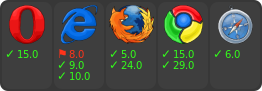](https://ci.testling.com/substack/json-stable-stringify) |
| 11 |
|
| 12 |
[](http://travis-ci.org/substack/json-stable-stringify) |
| 13 |
|
| 14 |
# example |
| 15 |
|
| 16 |
``` js |
| 17 |
var stringify = require('json-stable-stringify'); |
| 18 |
var obj = { c: 8, b: [{z:6,y:5,x:4},7], a: 3 }; |
| 19 |
console.log(stringify(obj)); |
| 20 |
``` |
| 21 |
|
| 22 |
output: |
| 23 |
|
| 24 |
``` |
| 25 |
{"a":3,"b":[{"x":4,"y":5,"z":6},7],"c":8} |
| 26 |
``` |
| 27 |
|
| 28 |
# methods |
| 29 |
|
| 30 |
``` js |
| 31 |
var stringify = require('json-stable-stringify') |
| 32 |
``` |
| 33 |
|
| 34 |
## var str = stringify(obj, opts) |
| 35 |
|
| 36 |
Return a deterministic stringified string `str` from the object `obj`. |
| 37 |
|
| 38 |
## options |
| 39 |
|
| 40 |
### cmp |
| 41 |
|
| 42 |
If `opts` is given, you can supply an `opts.cmp` to have a custom comparison |
| 43 |
function for object keys. Your function `opts.cmp` is called with these |
| 44 |
parameters: |
| 45 |
|
| 46 |
``` js |
| 47 |
opts.cmp({ key: akey, value: avalue }, { key: bkey, value: bvalue }) |
| 48 |
``` |
| 49 |
|
| 50 |
For example, to sort on the object key names in reverse order you could write: |
| 51 |
|
| 52 |
``` js |
| 53 |
var stringify = require('json-stable-stringify'); |
| 54 |
|
| 55 |
var obj = { c: 8, b: [{z:6,y:5,x:4},7], a: 3 }; |
| 56 |
var s = stringify(obj, function (a, b) { |
| 57 |
return a.key < b.key ? 1 : -1; |
| 58 |
}); |
| 59 |
console.log(s); |
| 60 |
``` |
| 61 |
|
| 62 |
which results in the output string: |
| 63 |
|
| 64 |
``` |
| 65 |
{"c":8,"b":[{"z":6,"y":5,"x":4},7],"a":3} |
| 66 |
``` |
| 67 |
|
| 68 |
Or if you wanted to sort on the object values in reverse order, you could write: |
| 69 |
|
| 70 |
``` |
| 71 |
var stringify = require('json-stable-stringify'); |
| 72 |
|
| 73 |
var obj = { d: 6, c: 5, b: [{z:3,y:2,x:1},9], a: 10 }; |
| 74 |
var s = stringify(obj, function (a, b) { |
| 75 |
return a.value < b.value ? 1 : -1; |
| 76 |
}); |
| 77 |
console.log(s); |
| 78 |
``` |
| 79 |
|
| 80 |
which outputs: |
| 81 |
|
| 82 |
``` |
| 83 |
{"d":6,"c":5,"b":[{"z":3,"y":2,"x":1},9],"a":10} |
| 84 |
``` |
| 85 |
|
| 86 |
### space |
| 87 |
|
| 88 |
If you specify `opts.space`, it will indent the output for pretty-printing. |
| 89 |
Valid values are strings (e.g. `{space: \t}`) or a number of spaces |
| 90 |
(`{space: 3}`). |
| 91 |
|
| 92 |
For example: |
| 93 |
|
| 94 |
```js |
| 95 |
var obj = { b: 1, a: { foo: 'bar', and: [1, 2, 3] } }; |
| 96 |
var s = stringify(obj, { space: ' ' }); |
| 97 |
console.log(s); |
| 98 |
``` |
| 99 |
|
| 100 |
which outputs: |
| 101 |
|
| 102 |
``` |
| 103 |
{ |
| 104 |
"a": { |
| 105 |
"and": [ |
| 106 |
1, |
| 107 |
2, |
| 108 |
3 |
| 109 |
], |
| 110 |
"foo": "bar" |
| 111 |
}, |
| 112 |
"b": 1 |
| 113 |
} |
| 114 |
``` |
| 115 |
|
| 116 |
### replacer |
| 117 |
|
| 118 |
The replacer parameter is a function `opts.replacer(key, value)` that behaves |
| 119 |
the same as the replacer |
| 120 |
[from the core JSON object](https://developer.mozilla.org/en-US/docs/Web/JavaScript/Guide/Using_native_JSON#The_replacer_parameter). |
| 121 |
|
| 122 |
# install |
| 123 |
|
| 124 |
With [npm](https://npmjs.org) do: |
| 125 |
|
| 126 |
``` |
| 127 |
npm install json-stable-stringify |
| 128 |
``` |
| 129 |
|
| 130 |
# license |
| 131 |
|
| 132 |
MIT |