| 1 |
# ipydatagrid |
| 2 |
|
| 3 |
[](https://mybinder.org/v2/gh/jupyter-widgets/ipydatagrid/HEAD?urlpath=lab%2Ftree%2Fexamples%2FDataGrid.ipynb) |
| 4 |
[](https://github.com/pre-commit/pre-commit) |
| 5 |
[](https://github.com/prettier/prettier) |
| 6 |
[](https://github.com/psf/black) |
| 7 |
[](https://github.com/facebook/jest) |
| 8 |
|
| 9 |
Fast Datagrid widget for the Jupyter Notebook and JupyterLab |
| 10 |
|
| 11 |
## Menu |
| 12 |
|
| 13 |
- [Usage and Examples](#Usage-and-Examples) |
| 14 |
- [Installation](#Installation) |
| 15 |
- [Development installation](#Development-installation) |
| 16 |
- [Contributions](#Contributions) |
| 17 |
- [License](#License) |
| 18 |
- [Code of Conduct](#Code-of-Conduct) |
| 19 |
- [Security Vulnerability reporting](#Security-Vulnerability-reporting) |
| 20 |
|
| 21 |
## Usage and Examples |
| 22 |
|
| 23 |
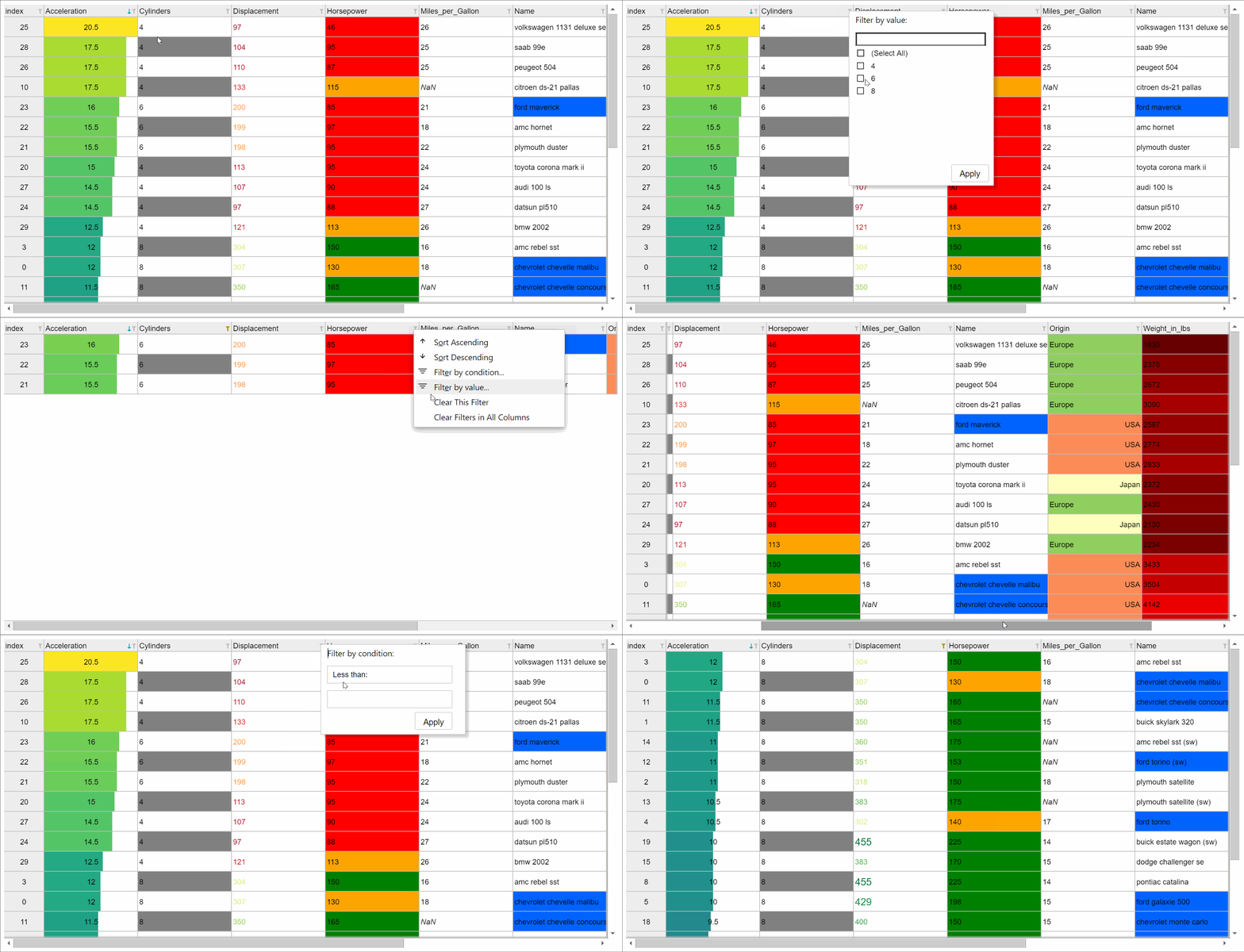
A fully-featured DataGrid interface |
| 24 |
[](https://github.com/jupyter-widgets/ipydatagrid/blob/main/examples/DataGrid.ipynb) |
| 25 |
|
| 26 |
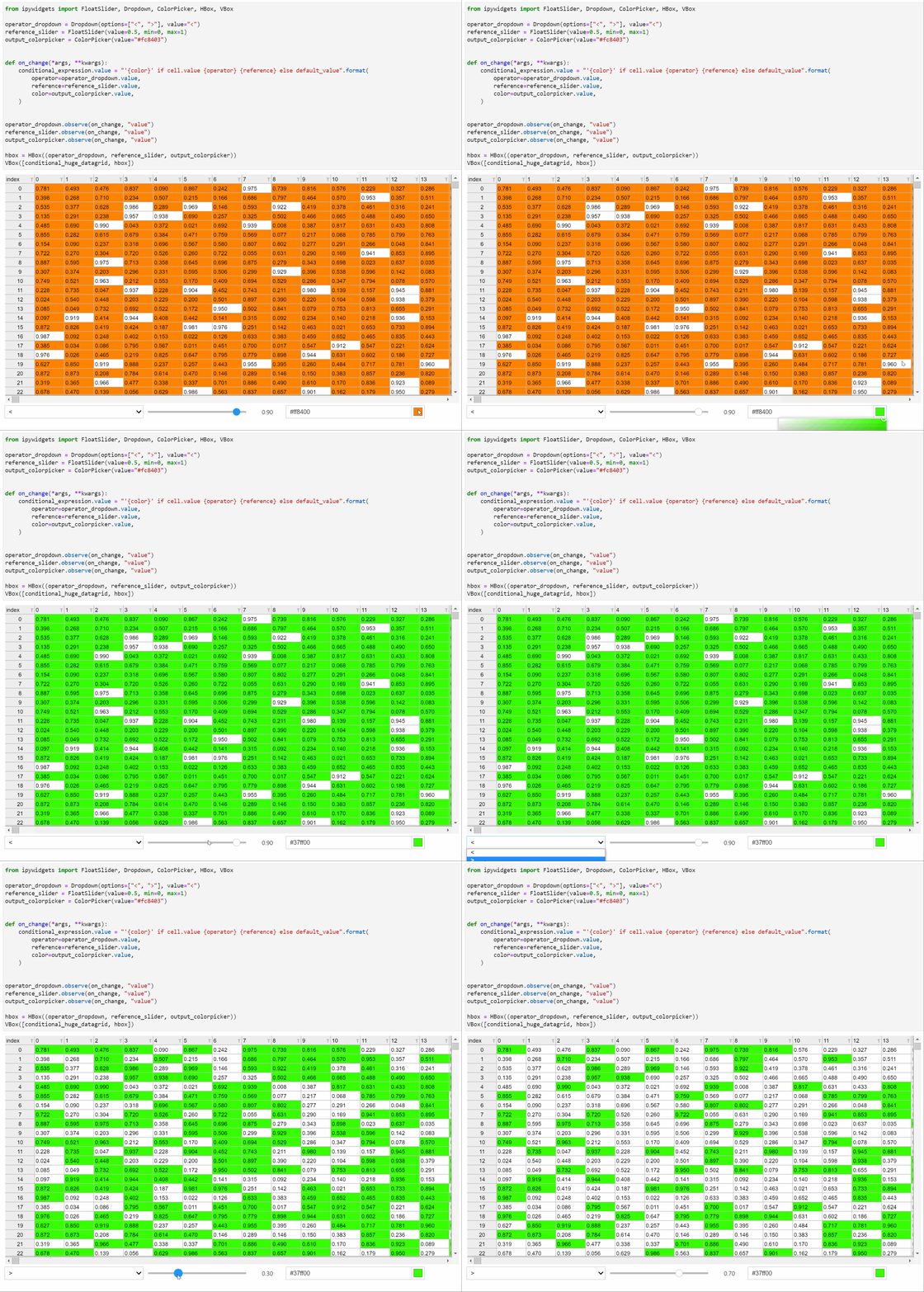
Highly performant and fully integrated with ipywidgets |
| 27 |
[](https://github.com/jupyter-widgets/ipydatagrid/blob/main/examples/DataGrid.ipynb) |
| 28 |
|
| 29 |
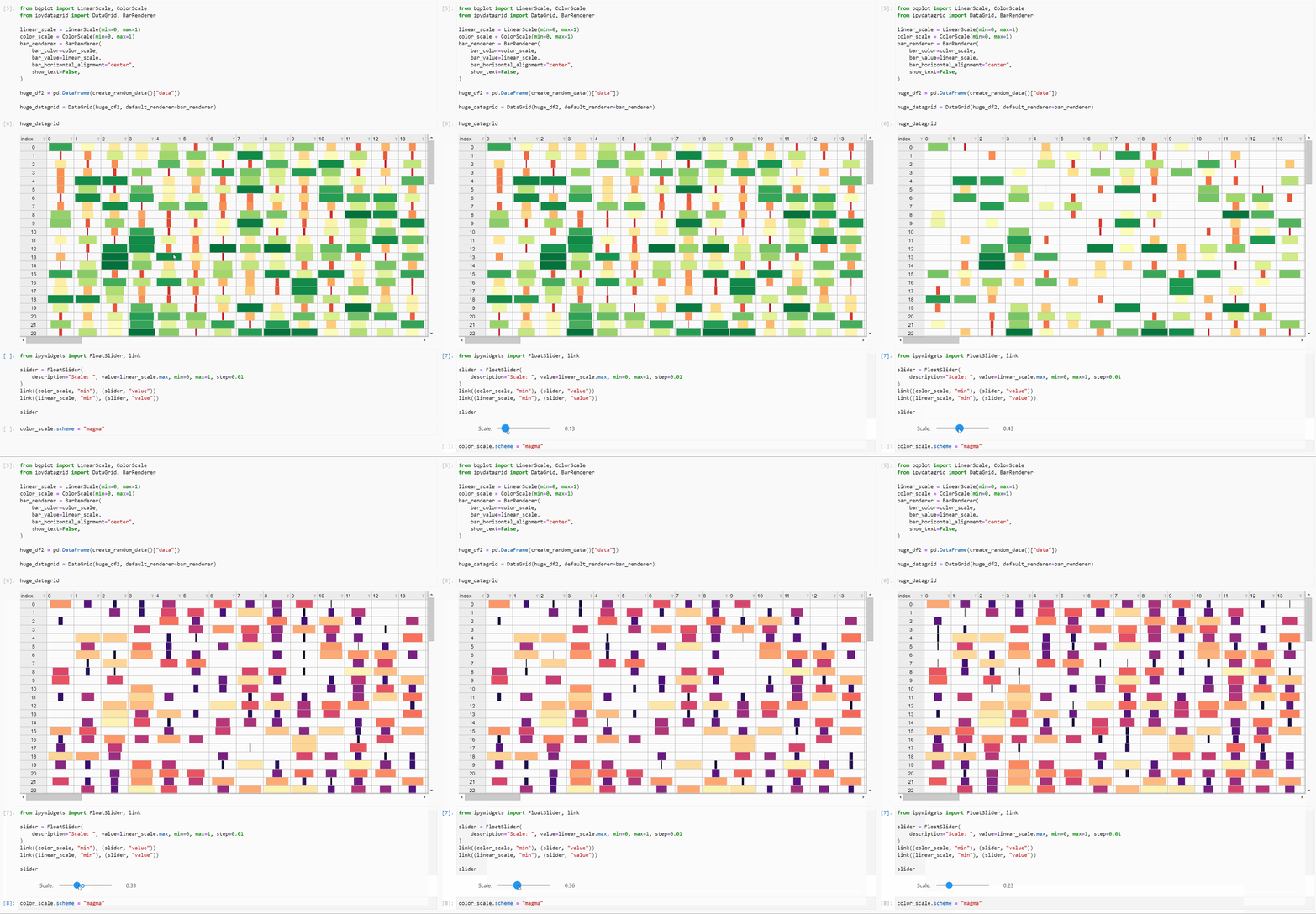
Customize the way data is represented in your grid using a variety of renderers |
| 30 |
[](https://github.com/jupyter-widgets/ipydatagrid/blob/main/examples/DataGrid.ipynb) |
| 31 |
|
| 32 |
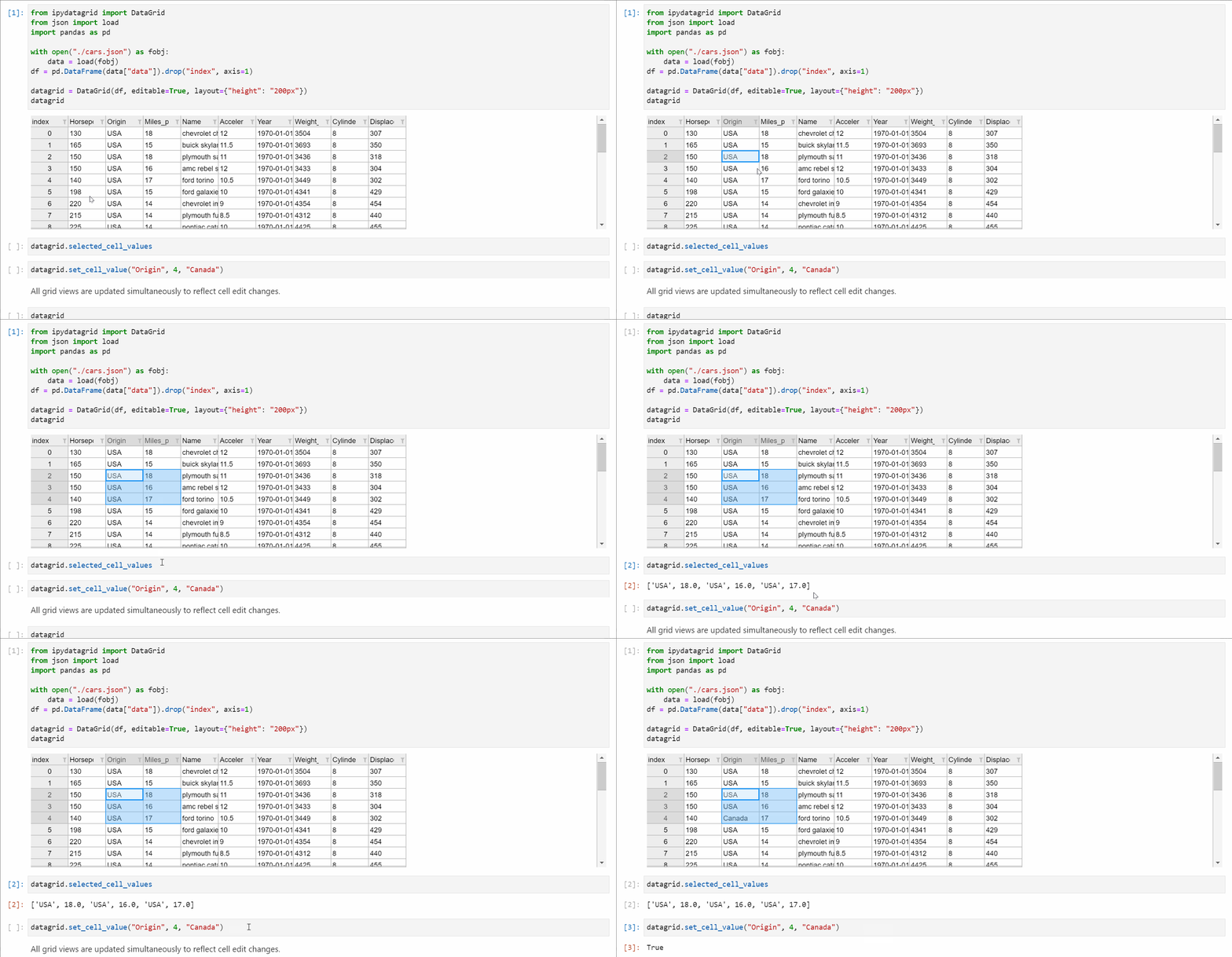
Enjoy a sophisticated selections model with two-way data binding |
| 33 |
[](https://github.com/jupyter-widgets/ipydatagrid/blob/main/examples/Selections.ipynb) |
| 34 |
|
| 35 |
Conditional formatting powered by Vega Expressions |
| 36 |
[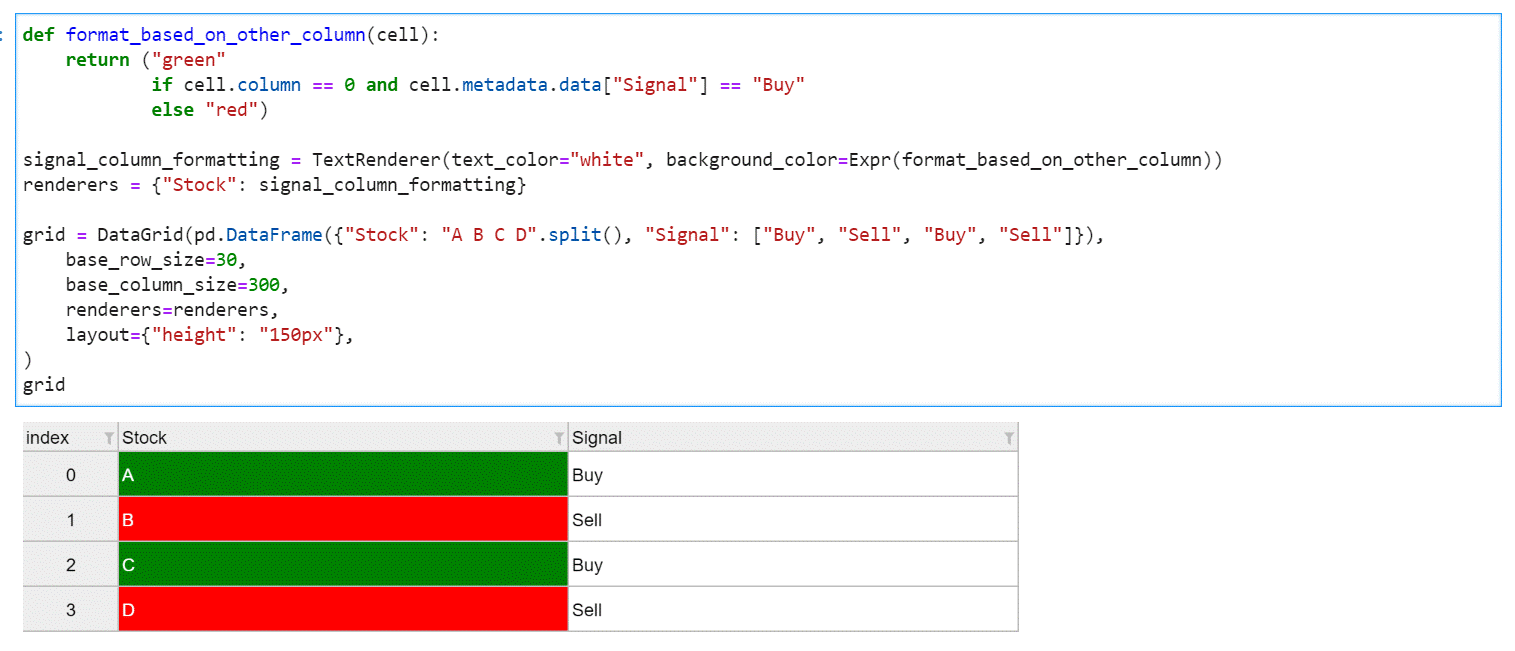](https://github.com/jupyter-widgets/ipydatagrid/blob/main/examples/ConditionalFormatting.ipynb) |
| 37 |
|
| 38 |
Tutorial and example notebooks can be found in the `/examples` directory. |
| 39 |
|
| 40 |
## Installation |
| 41 |
|
| 42 |
If using JupyterLab, `ipydatagrid` requires JupyterLab version 3 or higher. |
| 43 |
|
| 44 |
You can install `ipydatagrid` using `pip` or `conda`: |
| 45 |
|
| 46 |
Using `pip`: |
| 47 |
|
| 48 |
```bash |
| 49 |
pip install ipydatagrid |
| 50 |
``` |
| 51 |
|
| 52 |
Using `conda`: |
| 53 |
|
| 54 |
```bash |
| 55 |
conda install -c conda-forge ipydatagrid |
| 56 |
``` |
| 57 |
|
| 58 |
If you are using Jupyter Notebook 5.2 or earlier, you may also need to enable |
| 59 |
the nbextension: |
| 60 |
|
| 61 |
```bash |
| 62 |
jupyter nbextension enable --py [--sys-prefix|--user|--system] ipydatagrid |
| 63 |
``` |
| 64 |
|
| 65 |
NOTE: For examples using Scales from bqplot to work as intended, the bqplot notebook and lab extensions must be installed as well. See the [bqplot repo](https://github.com/bqplot/bqplot) for installation instructions: |
| 66 |
|
| 67 |
## Development installation |
| 68 |
|
| 69 |
For a development installation: |
| 70 |
|
| 71 |
```bash |
| 72 |
git clone https://github.com/jupyter-widgets/ipydatagrid.git |
| 73 |
cd ipydatagrid |
| 74 |
conda install ipywidgets=8 jupyterlab |
| 75 |
pip install -ve . |
| 76 |
``` |
| 77 |
|
| 78 |
Enabling development install for Jupyter notebook: |
| 79 |
|
| 80 |
```bash |
| 81 |
jupyter nbextension install --py --symlink --sys-prefix ipydatagrid |
| 82 |
jupyter nbextension enable --py --sys-prefix ipydatagrid |
| 83 |
``` |
| 84 |
|
| 85 |
Enabling development install for JupyterLab: |
| 86 |
|
| 87 |
```bash |
| 88 |
jupyter labextension develop . --overwrite |
| 89 |
``` |
| 90 |
|
| 91 |
Note for developers: the `--symlink` argument on Linux or OS X allows one to modify the JavaScript code in-place. This feature is not available with Windows. |
| 92 |
|
| 93 |
If you are changing TypeScript code you can watch for code changes and automatically rebuild using |
| 94 |
```bash |
| 95 |
jlpm watch |
| 96 |
``` |
| 97 |
in one terminal and |
| 98 |
```bash |
| 99 |
jupyter lab |
| 100 |
``` |
| 101 |
(or `jupyter notebook` or similar) in another. |
| 102 |
|
| 103 |
## Contributions |
| 104 |
|
| 105 |
We :heart: contributions. |
| 106 |
|
| 107 |
The ipydatagrid package is under the [Jupyter-Widgets](https://github.com/jupyter-widgets) [software subproject](https://jupyter.org/governance/software_subprojects.html). |
| 108 |
|
| 109 |
We appreciate contributions from the community. |
| 110 |
|
| 111 |
We follow the [IPython Contributing Guide](https://github.com/ipython/ipython/blob/main/CONTRIBUTING.md) |
| 112 |
and [Jupyter Contributing Guides](https://jupyter.readthedocs.io/en/latest/contributor/content-contributor.html) |
| 113 |
|
| 114 |
## License |
| 115 |
|
| 116 |
Please read the [LICENSE](LICENSE.txt) file. |
| 117 |
|
| 118 |
## Code of Conduct |
| 119 |
|
| 120 |
This project has adopted a [Project Jupyter's Code of Conduct](https://github.com/jupyter/governance/blob/master/conduct/code_of_conduct.md). |
| 121 |
|
| 122 |
## Security Vulnerability Reporting |
| 123 |
|
| 124 |
If you believe you have identified a security vulnerability in this project, please raise an issue to the project, |
| 125 |
detailing the suspected problem and any methods you've found to reproduce it. |
| 126 |
|
| 127 |
Please do NOT open an issue in the GitHub repository, as we'd prefer to keep vulnerability reports private until |
| 128 |
we've had an opportunity to review and address them. |