| 1 |
--- |
| 2 |
title: Host on Vercel |
| 3 |
description: Host your site on Vercel. |
| 4 |
categories: [] |
| 5 |
keywords: [] |
| 6 |
--- |
| 7 |
|
| 8 |
Use these instructions to enable continuous deployment from a GitHub repository. The same general steps apply if you are using Bitbucket or GitLab for version control. |
| 9 |
|
| 10 |
## Prerequisites |
| 11 |
|
| 12 |
Please complete the following tasks before continuing: |
| 13 |
|
| 14 |
1. [Create](https://vercel.com/signup) a Vercel account |
| 15 |
1. [Log in](https://vercel.com/login) to your Vercel account |
| 16 |
1. [Create](https://github.com/signup) a GitHub account |
| 17 |
1. [Log in](https://github.com/login) to your GitHub account |
| 18 |
1. [Create](https://github.com/new) a GitHub repository for your project |
| 19 |
1. [Create](https://git-scm.com/docs/git-init) a local Git repository for your project with a [remote](https://git-scm.com/docs/git-remote) reference to your GitHub repository |
| 20 |
1. Create a Hugo project within your local Git repository and test it with the `hugo server` command |
| 21 |
|
| 22 |
## Procedure |
| 23 |
|
| 24 |
Step 1 |
| 25 |
: Create a `vercel.json` file in the root of your project. |
| 26 |
|
| 27 |
```json {file="vercel.json" copy=true} |
| 28 |
{ |
| 29 |
"$schema": "https://openapi.vercel.sh/vercel.json", |
| 30 |
"buildCommand": "chmod a+x build.sh && ./build.sh", |
| 31 |
"outputDirectory": "public" |
| 32 |
} |
| 33 |
``` |
| 34 |
|
| 35 |
Step 2 |
| 36 |
: Create a `build.sh` file in the root of your project. |
| 37 |
|
| 38 |
```sh {file="build.sh" copy=true} |
| 39 |
#!/usr/bin/env bash |
| 40 |
|
| 41 |
#------------------------------------------------------------------------------ |
| 42 |
# @file |
| 43 |
# Builds a Hugo site hosted on Vercel. |
| 44 |
# |
| 45 |
# The Vercel build image automatically installs Node.js dependencies. |
| 46 |
#------------------------------------------------------------------------------ |
| 47 |
|
| 48 |
# Exit on error, undefined variables, or pipe failures |
| 49 |
set -euo pipefail |
| 50 |
|
| 51 |
build_temp_dir="" |
| 52 |
|
| 53 |
# Perform cleanup |
| 54 |
cleanup() { |
| 55 |
if [[ -n "${build_temp_dir:-}" && -d "${build_temp_dir}" ]]; then |
| 56 |
rm -rf "${build_temp_dir}" |
| 57 |
fi |
| 58 |
} |
| 59 |
|
| 60 |
# Register the cleanup trap |
| 61 |
trap cleanup EXIT SIGINT SIGTERM |
| 62 |
|
| 63 |
main() { |
| 64 |
# Define tool versions |
| 65 |
DART_SASS_VERSION=1.99.0 |
| 66 |
GO_VERSION=1.26.2 |
| 67 |
HUGO_VERSION=0.161.1 |
| 68 |
NODE_VERSION=24.15.0 |
| 69 |
|
| 70 |
# Set the build timezone |
| 71 |
export TZ=Europe/Oslo |
| 72 |
|
| 73 |
# Create and move into a temporary directory for downloads |
| 74 |
build_temp_dir=$(mktemp -d) |
| 75 |
pushd "${build_temp_dir}" > /dev/null |
| 76 |
|
| 77 |
# Create the local tools directory |
| 78 |
mkdir -p "${HOME}/.local" |
| 79 |
|
| 80 |
# Install Dart Sass |
| 81 |
echo "Installing Dart Sass ${DART_SASS_VERSION}..." |
| 82 |
curl -sLJO "https://github.com/sass/dart-sass/releases/download/${DART_SASS_VERSION}/dart-sass-${DART_SASS_VERSION}-linux-x64.tar.gz" |
| 83 |
tar -C "${HOME}/.local" -xf "dart-sass-${DART_SASS_VERSION}-linux-x64.tar.gz" |
| 84 |
export PATH="${HOME}/.local/dart-sass:${PATH}" |
| 85 |
|
| 86 |
# Install Go |
| 87 |
echo "Installing Go ${GO_VERSION}..." |
| 88 |
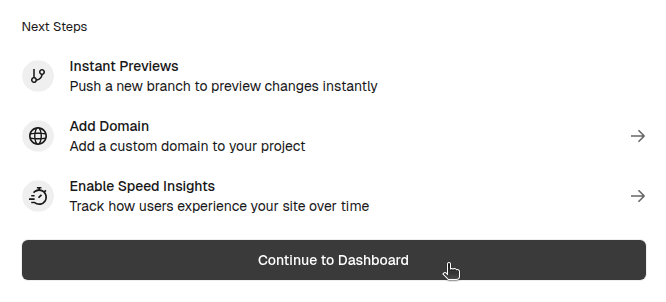
curl -sLJO "https://go.dev/dl/go${GO_VERSION}.linux-amd64.tar.gz" |
| 89 |
tar -C "${HOME}/.local" -xf "go${GO_VERSION}.linux-amd64.tar.gz" |
| 90 |
export PATH="${HOME}/.local/go/bin:${PATH}" |
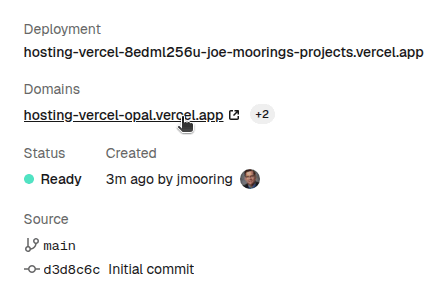
| 91 |
|
| 92 |
# Install Hugo |
| 93 |
echo "Installing Hugo ${HUGO_VERSION}..." |
| 94 |
curl -sLJO "https://github.com/gohugoio/hugo/releases/download/v${HUGO_VERSION}/hugo_${HUGO_VERSION}_linux-amd64.tar.gz" |
| 95 |
mkdir -p "${HOME}/.local/hugo" |
| 96 |
tar -C "${HOME}/.local/hugo" -xf "hugo_${HUGO_VERSION}_linux-amd64.tar.gz" |
| 97 |
export PATH="${HOME}/.local/hugo:${PATH}" |
| 98 |
|
| 99 |
# Install Node.js |
| 100 |
echo "Installing Node.js ${NODE_VERSION}..." |
| 101 |
curl -sLJO "https://nodejs.org/dist/v${NODE_VERSION}/node-v${NODE_VERSION}-linux-x64.tar.xz" |
| 102 |
tar -C "${HOME}/.local" -xf "node-v${NODE_VERSION}-linux-x64.tar.xz" |
| 103 |
export PATH="${HOME}/.local/node-v${NODE_VERSION}-linux-x64/bin:${PATH}" |
| 104 |
|
| 105 |
# Return to the project root |
| 106 |
popd > /dev/null |
| 107 |
|
| 108 |
# Verify installations |
| 109 |
echo "Verifying installations..." |
| 110 |
echo Dart Sass: "$(sass --version)" |
| 111 |
echo Go: "$(go version)" |
| 112 |
echo Hugo: "$(hugo version)" |
| 113 |
echo Node.js: "$(node --version)" |
| 114 |
|
| 115 |
# Configure Git |
| 116 |
echo "Configuring Git..." |
| 117 |
git config core.quotepath false |
| 118 |
if [ "$(git rev-parse --is-shallow-repository)" = "true" ]; then |
| 119 |
git fetch --unshallow |
| 120 |
fi |
| 121 |
|
| 122 |
# Build the site |
| 123 |
echo "Building the site..." |
| 124 |
hugo build --gc --minify --baseURL "https://${VERCEL_PROJECT_PRODUCTION_URL}" |
| 125 |
} |
| 126 |
|
| 127 |
main "$@" |
| 128 |
``` |
| 129 |
|
| 130 |
Step 3 |
| 131 |
: Commit the changes to your local Git repository and push to your GitHub repository. |
| 132 |
|
| 133 |
Step 4 |
| 134 |
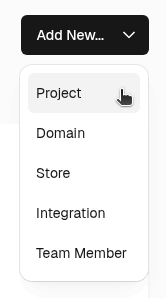
: In the upper right corner of the Vercel dashboard, press the **Add New** button and select "Project" from the drop down menu. |
| 135 |
|
| 136 |
 |
| 137 |
|
| 138 |
Step 5 |
| 139 |
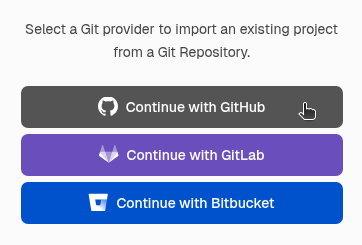
: Press the "Continue with GitHub" button. |
| 140 |
|
| 141 |
 |
| 142 |
|
| 143 |
Step 6 |
| 144 |
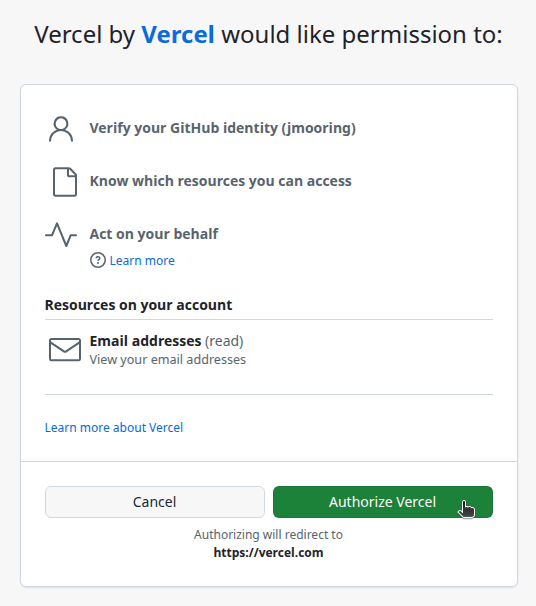
: Press the **Authorize Vercel** button to allow the Vercel application to access your GitHub account. |
| 145 |
|
| 146 |
 |
| 147 |
|
| 148 |
Step 7 |
| 149 |
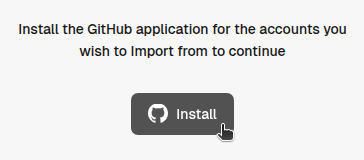
: Press the **Install** button to install the Vercel application. |
| 150 |
|
| 151 |
 |
| 152 |
|
| 153 |
Step 8 |
| 154 |
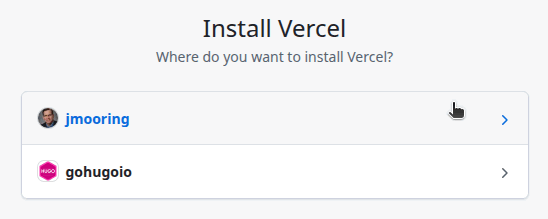
: Select the GitHub account where you want to install the Vercel application. |
| 155 |
|
| 156 |
 |
| 157 |
|
| 158 |
Step 9 |
| 159 |
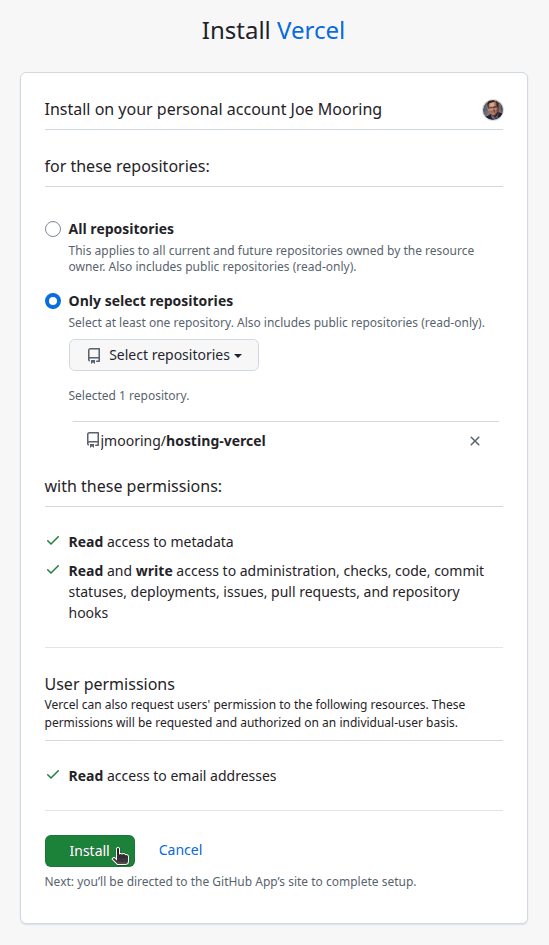
: Authorize the Vercel application to access all repositories or only select repositories, then press the **Install** button. |
| 160 |
|
| 161 |
 |
| 162 |
|
| 163 |
Your browser will be redirected to the Cloudflare dashboard. |
| 164 |
|
| 165 |
Step 10 |
| 166 |
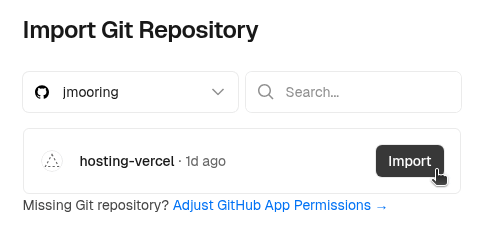
: Press the **Import** button to the right of the name of your GitHub repository. |
| 167 |
|
| 168 |
 |
| 169 |
|
| 170 |
Step 11 |
| 171 |
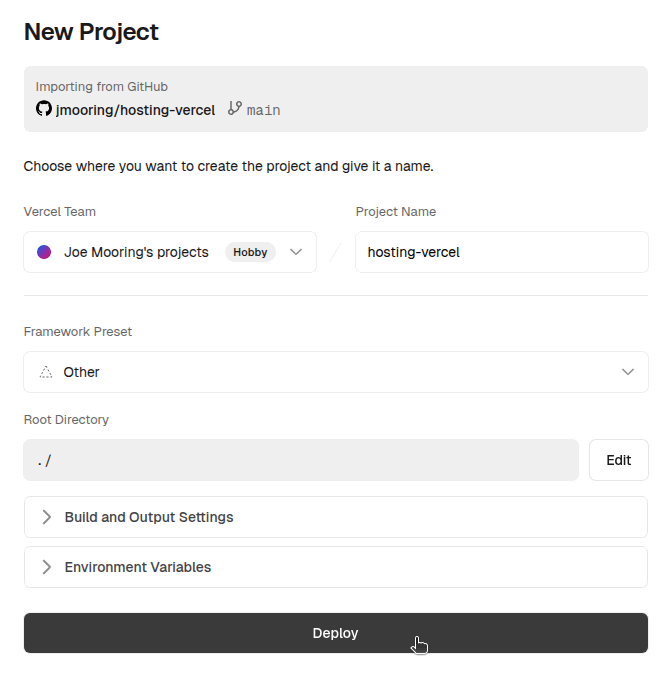
: On the "New Project" page, leave the settings at their default values and press the **Deploy** button. |
| 172 |
|
| 173 |
 |
| 174 |
|
| 175 |
Step 12 |
| 176 |
: When the deployment completes, press the **Continue to Dashboard" button at the bottom of the page. |
| 177 |
|
| 178 |
 |
| 179 |
|
| 180 |
Step 13 |
| 181 |
: On the "Production Deployment" page, click on the link to your published site. |
| 182 |
|
| 183 |
 |
| 184 |
|
| 185 |
In the future, whenever you push a change from your local Git repository, Vercel will rebuild and deploy your site. |