| 1 |
# Github Workflow |
| 2 |
|
| 3 |
For small edits to existing files, you can use the editing functionality built directly into Github. |
| 4 |
|
| 5 |
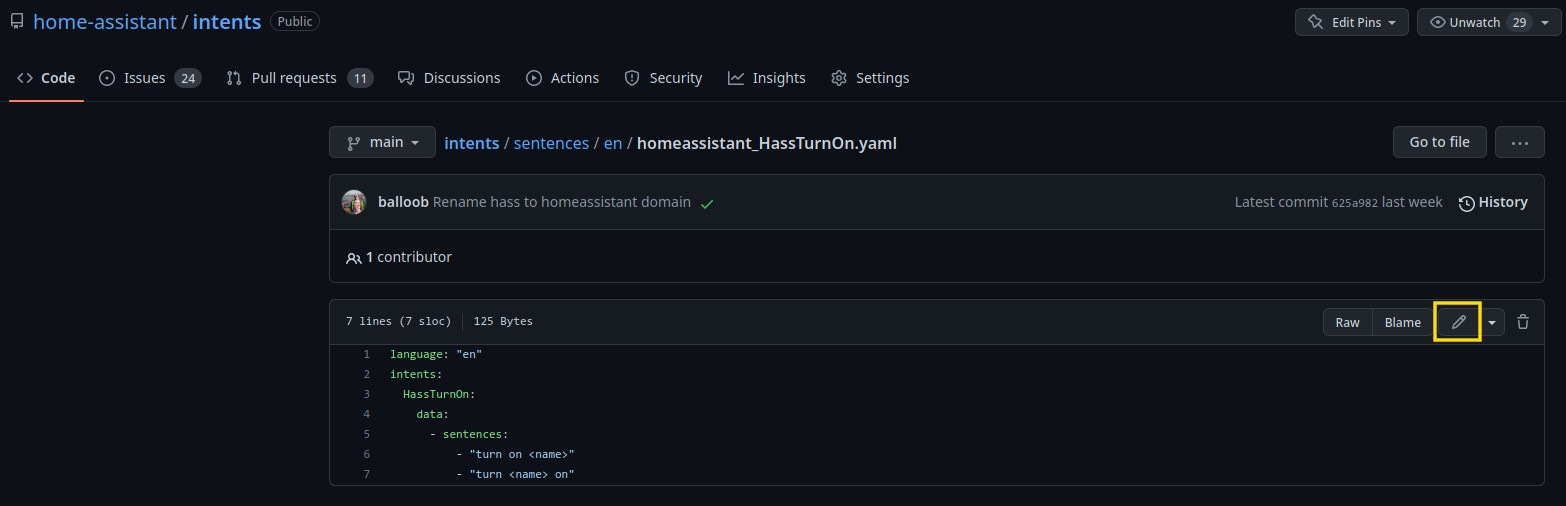
First, navigate to the YAML file you want to edit and click the pencil icon in the upper-right corner: |
| 6 |
|
| 7 |
 |
| 8 |
|
| 9 |
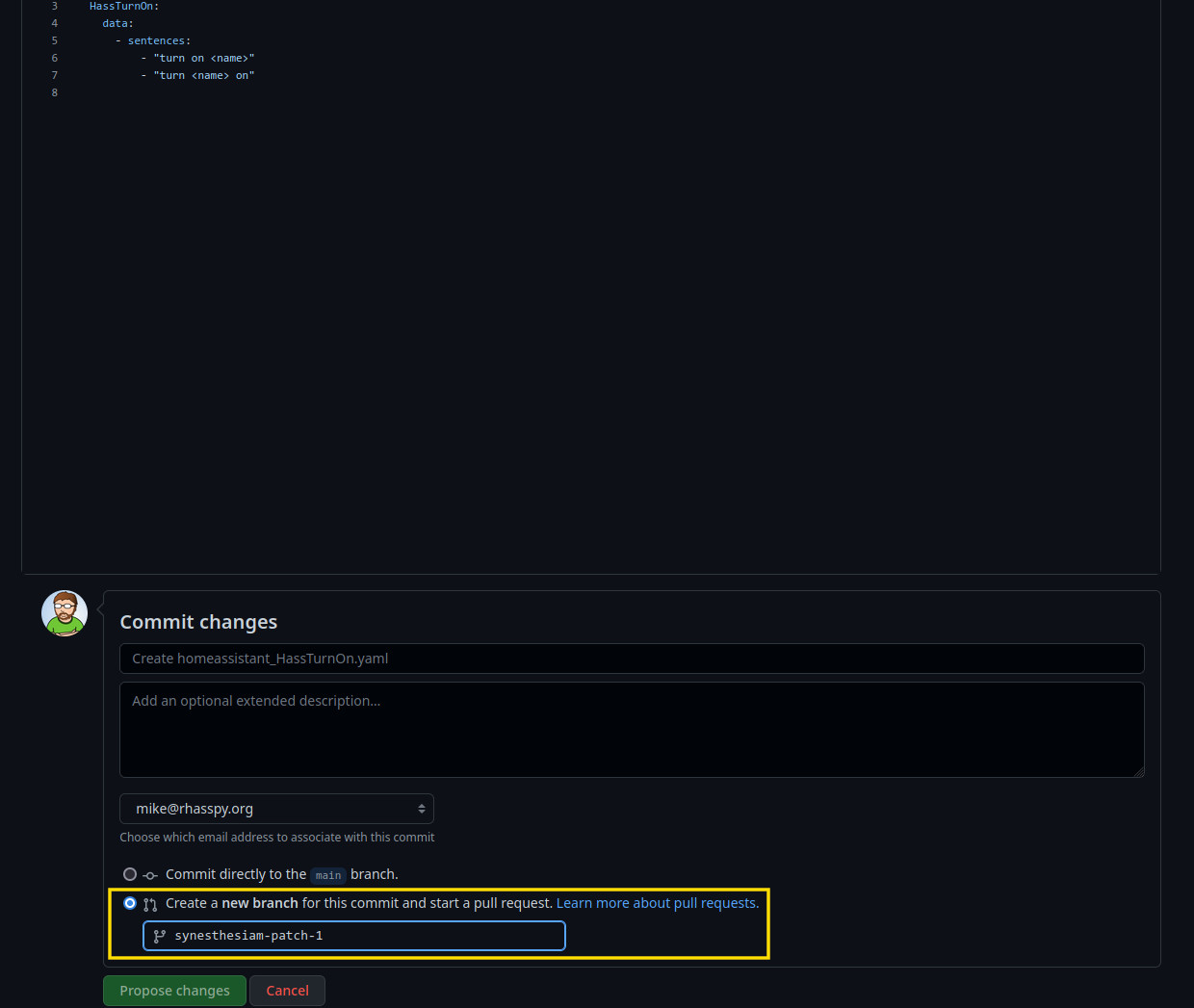
Next, make your changes to the file. When you're finished, scroll down and choose the "Create a new branch for this commit and start a pull request" option: |
| 10 |
|
| 11 |
 |
| 12 |
|
| 13 |
After entering a description of your changes and clicking the "Propose changes" button, your changes should be available in the repository's "Pull Requests" section. |