| 1 |
# color |
| 2 |
|
| 3 |
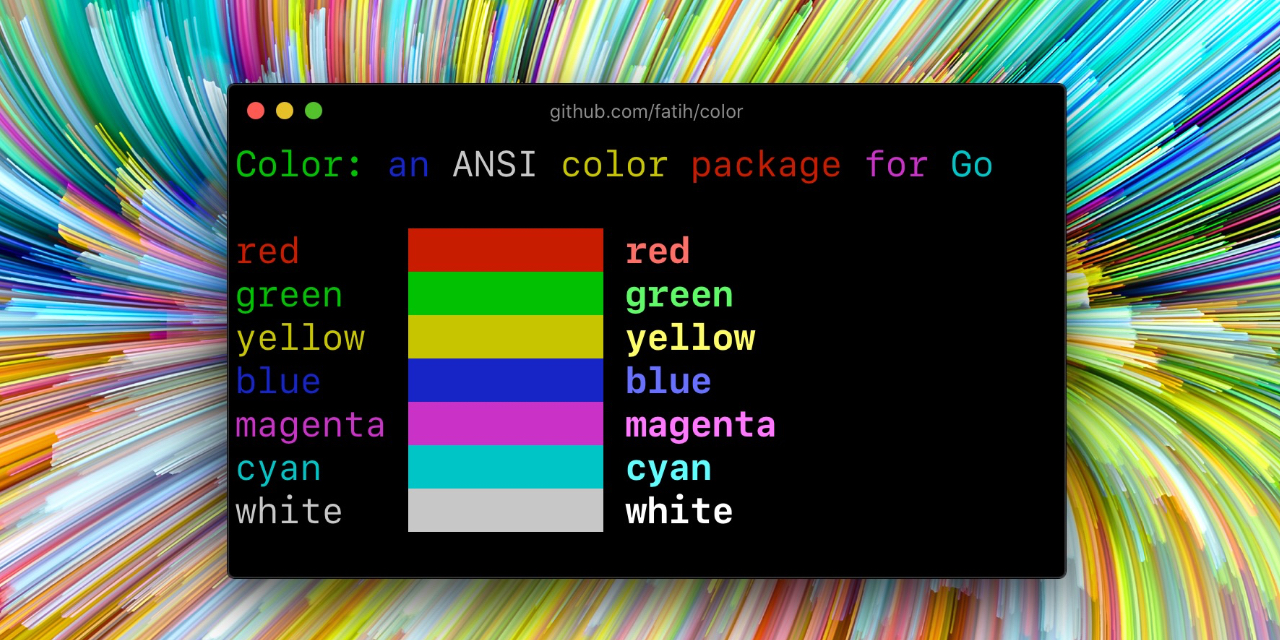
Color lets you use colorized outputs in terms of [ANSI Escape Codes](http://en.wikipedia.org/wiki/ANSI_escape_code#Colors) in Go (Golang). It has support for Windows too! The API can be used in several ways, pick one that suits you. |
| 4 |
|
| 5 |
 |
| 6 |
|
| 7 |
## Install |
| 8 |
|
| 9 |
```bash |
| 10 |
go get github.com/nicholas-fedor/shoutrrr/pkg/color@latest |
| 11 |
``` |
| 12 |
|
| 13 |
## Examples |
| 14 |
|
| 15 |
### Standard colors |
| 16 |
|
| 17 |
```go |
| 18 |
// Print with default helper functions |
| 19 |
color.Cyanf("Prints text in cyan.") |
| 20 |
|
| 21 |
// A newline will be appended automatically |
| 22 |
color.Bluef("Prints %s in blue.", "text") |
| 23 |
|
| 24 |
// These are using the default foreground colors |
| 25 |
color.Redf("We have red") |
| 26 |
color.Magentaf("And many others ..") |
| 27 |
|
| 28 |
``` |
| 29 |
|
| 30 |
### RGB colors |
| 31 |
|
| 32 |
If your terminal supports 24-bit colors, you can use RGB color codes. |
| 33 |
|
| 34 |
```go |
| 35 |
color.RGB(255, 128, 0).Println("foreground orange") |
| 36 |
color.RGB(230, 42, 42).Println("foreground red") |
| 37 |
|
| 38 |
color.BgRGB(255, 128, 0).Println("background orange") |
| 39 |
color.BgRGB(230, 42, 42).Println("background red") |
| 40 |
``` |
| 41 |
|
| 42 |
### Mix and reuse colors |
| 43 |
|
| 44 |
```go |
| 45 |
// Create a new color object |
| 46 |
c := color.New(color.FgCyan).Add(color.Underline) |
| 47 |
c.Println("Prints cyan text with an underline.") |
| 48 |
|
| 49 |
// Or just add them to New() |
| 50 |
d := color.New(color.FgCyan, color.Bold) |
| 51 |
d.Printf("This prints bold cyan %s\n", "too!.") |
| 52 |
|
| 53 |
// Mix up foreground and background colors, create new mixes! |
| 54 |
red := color.New(color.FgRed) |
| 55 |
|
| 56 |
boldRed := red.Add(color.Bold) |
| 57 |
boldRed.Println("This will print text in bold red.") |
| 58 |
|
| 59 |
whiteBackground := red.Add(color.BgWhite) |
| 60 |
whiteBackground.Println("Red text with white background.") |
| 61 |
|
| 62 |
// Mix with RGB color codes |
| 63 |
color.RGB(255, 128, 0).AddBgRGB(0, 0, 0).Println("orange with black background") |
| 64 |
|
| 65 |
color.BgRGB(255, 128, 0).AddRGB(255, 255, 255).Println("orange background with white foreground") |
| 66 |
``` |
| 67 |
|
| 68 |
### Use your own output (io.Writer) |
| 69 |
|
| 70 |
```go |
| 71 |
// Use your own io.Writer output |
| 72 |
color.New(color.FgBlue).Fprintln(myWriter, "blue color!") |
| 73 |
|
| 74 |
blue := color.New(color.FgBlue) |
| 75 |
blue.Fprint(writer, "This will print text in blue.") |
| 76 |
``` |
| 77 |
|
| 78 |
### Direct print methods |
| 79 |
|
| 80 |
The Color type provides direct print methods for convenience: |
| 81 |
|
| 82 |
```go |
| 83 |
// Direct print methods on Color instances |
| 84 |
red := color.New(color.FgRed) |
| 85 |
red.Print("This prints in red") |
| 86 |
red.Printf("This prints %s in red", "text") |
| 87 |
red.Println("This prints in red with newline") |
| 88 |
``` |
| 89 |
|
| 90 |
### Custom print functions (PrintFunc) |
| 91 |
|
| 92 |
You can also create reusable print functions: |
| 93 |
|
| 94 |
```go |
| 95 |
// Create a custom print function for convenience |
| 96 |
red := color.New(color.FgRed).PrintfFunc() |
| 97 |
red("Warning") |
| 98 |
red("Error: %s", err) |
| 99 |
|
| 100 |
// Mix up multiple attributes |
| 101 |
notice := color.New(color.Bold, color.FgGreen).PrintlnFunc() |
| 102 |
notice("Don't forget this...") |
| 103 |
``` |
| 104 |
|
| 105 |
### Custom fprint functions (FprintFunc) |
| 106 |
|
| 107 |
```go |
| 108 |
blue := color.New(color.FgBlue).FprintfFunc() |
| 109 |
blue(myWriter, "important notice: %s", stars) |
| 110 |
|
| 111 |
// Mix up with multiple attributes |
| 112 |
success := color.New(color.Bold, color.FgGreen).FprintlnFunc() |
| 113 |
success(myWriter, "Don't forget this...") |
| 114 |
``` |
| 115 |
|
| 116 |
### Insert into noncolor strings (SprintFunc) |
| 117 |
|
| 118 |
```go |
| 119 |
// Create SprintXxx functions to mix strings with other non-colorized strings: |
| 120 |
yellow := color.New(color.FgYellow).SprintFunc() |
| 121 |
red := color.New(color.FgRed).SprintFunc() |
| 122 |
fmt.Printf("This is a %s and this is %s.\n", yellow("warning"), red("error")) |
| 123 |
|
| 124 |
info := color.New(color.FgWhite, color.BgGreen).SprintFunc() |
| 125 |
fmt.Printf("This %s rocks!\n", info("package")) |
| 126 |
|
| 127 |
// Use helper functions |
| 128 |
fmt.Println("This", color.RedString("warning"), "should be not neglected.") |
| 129 |
fmt.Printf("%v %v\n", color.GreenString("Info:"), "an important message.") |
| 130 |
|
| 131 |
// Windows supported too! Just don't forget to change the output to color.Output |
| 132 |
fmt.Fprintf(color.Output, "Windows support: %s", color.GreenString("PASS")) |
| 133 |
``` |
| 134 |
|
| 135 |
### Plug into existing code |
| 136 |
|
| 137 |
```go |
| 138 |
// Use handy standard colors |
| 139 |
color.Set(color.FgYellow) |
| 140 |
|
| 141 |
fmt.Println("Existing text will now be in yellow") |
| 142 |
fmt.Printf("This one %s\n", "too") |
| 143 |
|
| 144 |
color.Unset() // Don't forget to unset |
| 145 |
|
| 146 |
// You can mix up parameters |
| 147 |
color.Set(color.FgMagenta, color.Bold) |
| 148 |
defer color.Unset() // Use it in your function |
| 149 |
|
| 150 |
fmt.Println("All text will now be bold magenta.") |
| 151 |
``` |
| 152 |
|
| 153 |
### Disable/Enable color |
| 154 |
|
| 155 |
There might be a case where you want to explicitly disable/enable color output. the |
| 156 |
`go-isatty` package will automatically disable color output for non-tty output streams |
| 157 |
(for example if the output were piped directly to `less`). |
| 158 |
|
| 159 |
The `color` package also disables color output if the [`NO_COLOR`](https://no-color.org) environment |
| 160 |
variable is set to a non-empty string. |
| 161 |
|
| 162 |
`Color` has support to disable/enable colors programmatically both globally and |
| 163 |
for single color definitions. For example suppose you have a CLI app and a |
| 164 |
`-no-color` bool flag. You can easily disable the color output with: |
| 165 |
|
| 166 |
```go |
| 167 |
var flagNoColor = flag.Bool("no-color", false, "Disable color output") |
| 168 |
|
| 169 |
if *flagNoColor { |
| 170 |
color.NoColor = true // disables colorized output |
| 171 |
} |
| 172 |
``` |
| 173 |
|
| 174 |
It also has support for single color definitions (local). You can |
| 175 |
disable/enable color output on the fly: |
| 176 |
|
| 177 |
```go |
| 178 |
c := color.New(color.FgCyan) |
| 179 |
c.Println("Prints cyan text") |
| 180 |
|
| 181 |
c.DisableColor() |
| 182 |
c.Println("This is printed without any color") |
| 183 |
|
| 184 |
c.EnableColor() |
| 185 |
c.Println("This prints again cyan...") |
| 186 |
``` |
| 187 |
|
| 188 |
## Comparing Colors |
| 189 |
|
| 190 |
The `Equals()` method allows you to compare two Color objects for equality: |
| 191 |
|
| 192 |
```go |
| 193 |
red1 := color.New(color.FgRed) |
| 194 |
red2 := color.New(color.FgRed) |
| 195 |
blue := color.New(color.FgBlue) |
| 196 |
|
| 197 |
red1.Equals(red2) // true - same attributes |
| 198 |
red1.Equals(blue) // false - different attributes |
| 199 |
|
| 200 |
// Works with nil values |
| 201 |
var nilColor *Color |
| 202 |
nilColor.Equals(nil) // true |
| 203 |
red1.Equals(nil) // false |
| 204 |
``` |
| 205 |
|
| 206 |
## Performance: Color Caching |
| 207 |
|
| 208 |
The color package uses a caching mechanism to improve performance. Single-attribute colors are cached in a `colorsCache` map to reduce object allocation. The cache uses read-write mutexes for thread-safe access: |
| 209 |
|
| 210 |
```go |
| 211 |
// First call creates and caches the color |
| 212 |
c := color.New(color.FgRed) // May create new object |
| 213 |
|
| 214 |
// Subsequent calls with same attribute return cached object |
| 215 |
c2 := color.New(color.FgRed) // Returns cached object |
| 216 |
|
| 217 |
c.Equals(c2) // true - same cached instance |
| 218 |
``` |
| 219 |
|
| 220 |
Note: Only single-attribute colors are cached. Combined attributes create new Color objects. |
| 221 |
|
| 222 |
## GitHub Actions |
| 223 |
|
| 224 |
Modern versions of the color package automatically detect terminal support using `go-isatty`, which checks if the output is connected to a terminal. For GitHub Actions and other CI systems that support ANSI colors, you may need to explicitly enable colors if auto-detection fails: |
| 225 |
|
| 226 |
```go |
| 227 |
// Force color output in CI environments |
| 228 |
color.NoColor = false |
| 229 |
``` |
| 230 |
|
| 231 |
Alternatively, set the `FORCECOLOR` environment variable (if your terminal/CLI supports it) or ensure the CI configuration enables ANSI color output. |
| 232 |
|
| 233 |
## Credits |
| 234 |
|
| 235 |
* This was imported directly from [Fatih Arslan](https://github.com/fatih)'s [color](https://github.com/fatih/color) repository |
| 236 |
* Windows support via @mattn: [colorable](https://github.com/mattn/go-colorable) |
| 237 |
|
| 238 |
## License |
| 239 |
|
| 240 |
The MIT License (MIT) - see [`LICENSE.md`](pkg/color/LICENSE.md) for more details |