| 1 |
# OpsGenie |
| 2 |
|
| 3 |
## URL Format |
| 4 |
|
| 5 |
--8<-- "docs/services/incident/opsgenie/config.md" |
| 6 |
|
| 7 |
## Creating a REST API endpoint in OpsGenie |
| 8 |
|
| 9 |
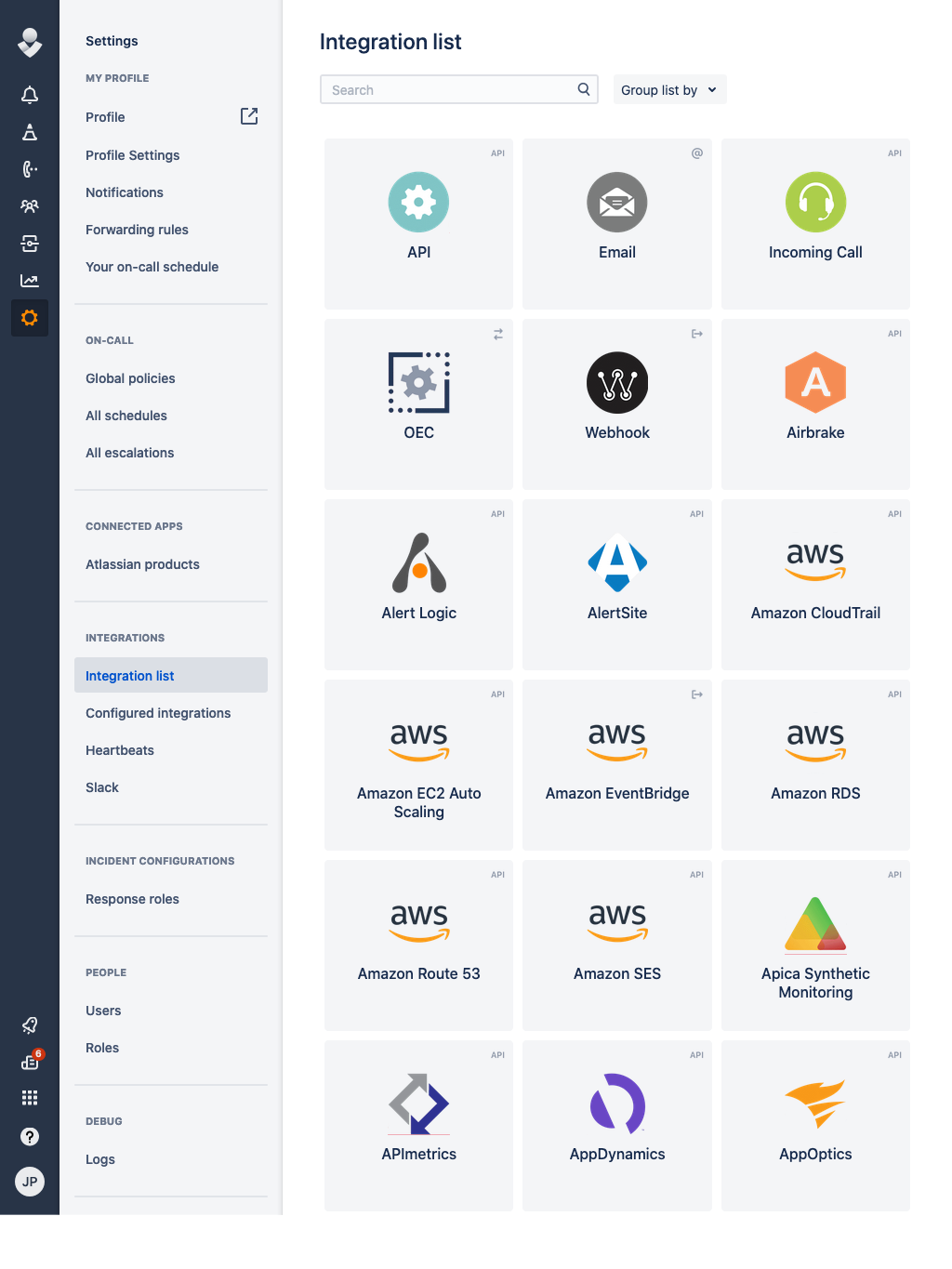
1. Open up the Integration List page by clicking on *Settings => Integration List* within the menu |
| 10 |
 |
| 11 |
|
| 12 |
2. Click *API => Add* |
| 13 |
|
| 14 |
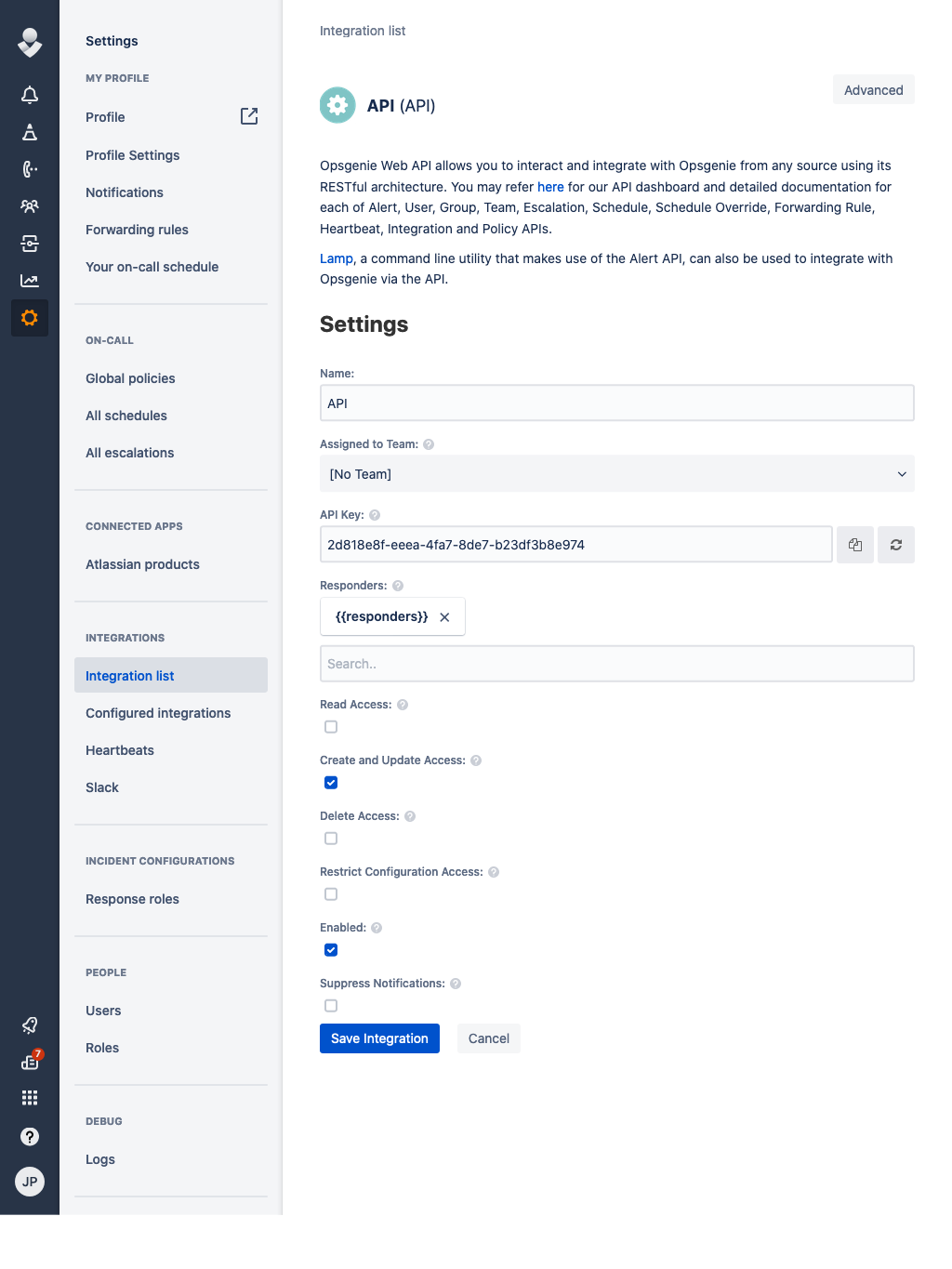
3. Make sure *Create and Update Access* and *Enabled* are checked and click *Save Integration* |
| 15 |
 |
| 16 |
|
| 17 |
4. Copy the *API Key* |
| 18 |
|
| 19 |
5. Format the service URL |
| 20 |
|
| 21 |
The host can be either api.opsgenie.com or api.eu.opsgenie.com depending on the location of your instance. See |
| 22 |
the [OpsGenie documentation](https://docs.opsgenie.com/docs/alert-api) for details. |
| 23 |
|
| 24 |
```url |
| 25 |
opsgenie://api.opsgenie.com/eb243592-faa2-4ba2-a551q-1afdf565c889 |
| 26 |
└───────────────────────────────────┘ |
| 27 |
token |
| 28 |
``` |
| 29 |
|
| 30 |
## Passing parameters via code |
| 31 |
|
| 32 |
If you want to, you can pass additional parameters to the `send` function. |
| 33 |
<br/> |
| 34 |
The following example contains all parameters that are currently supported. |
| 35 |
|
| 36 |
```go |
| 37 |
service.Send("An example alert message", &types.Params{ |
| 38 |
"alias": "Life is too short for no alias", |
| 39 |
"description": "Every alert needs a description", |
| 40 |
"responders": `[{"id":"4513b7ea-3b91-438f-b7e4-e3e54af9147c","type":"team"},{"name":"NOC","type":"team"}]`, |
| 41 |
"visibleTo": `[{"id":"4513b7ea-3b91-438f-b7e4-e3e54af9147c","type":"team"},{"name":"rocket_team","type":"team"}]`, |
| 42 |
"actions": "An action", |
| 43 |
"tags": "tag1 tag2", |
| 44 |
"details": `{"key1": "value1", "key2": "value2"}`, |
| 45 |
"entity": "An example entity", |
| 46 |
"source": "The source", |
| 47 |
"priority": "P1", |
| 48 |
"user": "Dracula", |
| 49 |
"note": "Here is a note", |
| 50 |
}) |
| 51 |
``` |
| 52 |
|
| 53 |
## Optional parameters |
| 54 |
|
| 55 |
You can optionally specify the parameters in the URL: |
| 56 |
|
| 57 |
!!! info "" |
| 58 |
opsgenie://api.opsgenie.com/eb243592-faa2-4ba2-a551q-1afdf565c889?alias=Life+is+too+short+for+no+alias&description=Every+alert+needs+a+description&actions=An+action&tags=["tag1","tag2"]&entity=An+example+entity&source=The+source&priority=P1&user=Dracula¬e=Here+is+a+note |
| 59 |
|
| 60 |
Example using the command line: |
| 61 |
|
| 62 |
```shell |
| 63 |
shoutrrr send -u 'opsgenie://api.eu.opsgenie.com/token?tags=["tag1","tag2"]&description=testing&responders=[{"username":"superuser", "type": "user"}]&entity=Example Entity&source=Example Source&actions=["asdf", "bcde"]' -m "Hello World6" |
| 64 |
``` |