| 1 |
# Rocket.chat |
| 2 |
|
| 3 |
## URL Format |
| 4 |
|
| 5 |
!!! info "" |
| 6 |
rocketchat://[__`username`__@]__`rocketchat-host`__/__`token`__[/__`channel`|`@recipient`__]* |
| 7 |
|
| 8 |
--8<-- "docs/services/chat/rocketchat/config.md" |
| 9 |
|
| 10 |
## Creating a Webhook in Rocket.chat |
| 11 |
|
| 12 |
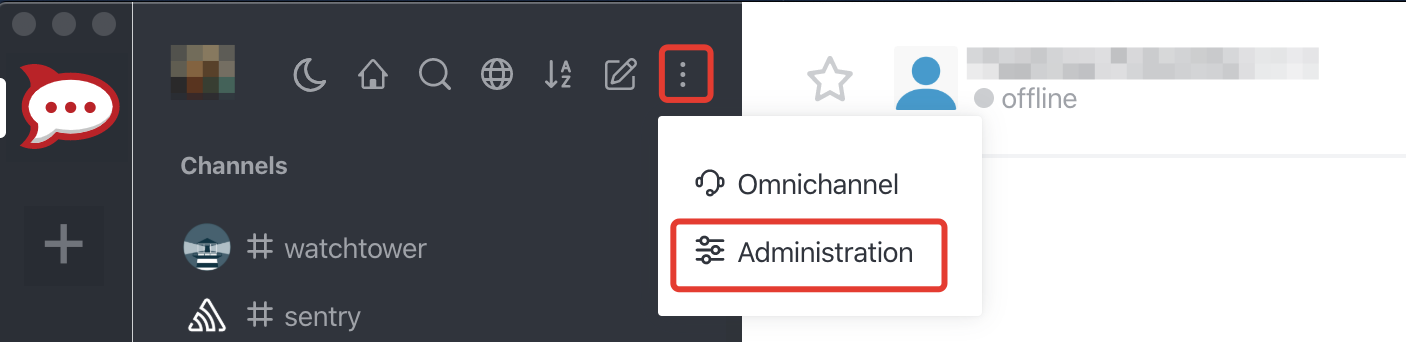
1. Open up the chat Administration by clicking on *Administration* menu |
| 13 |
 |
| 14 |
|
| 15 |
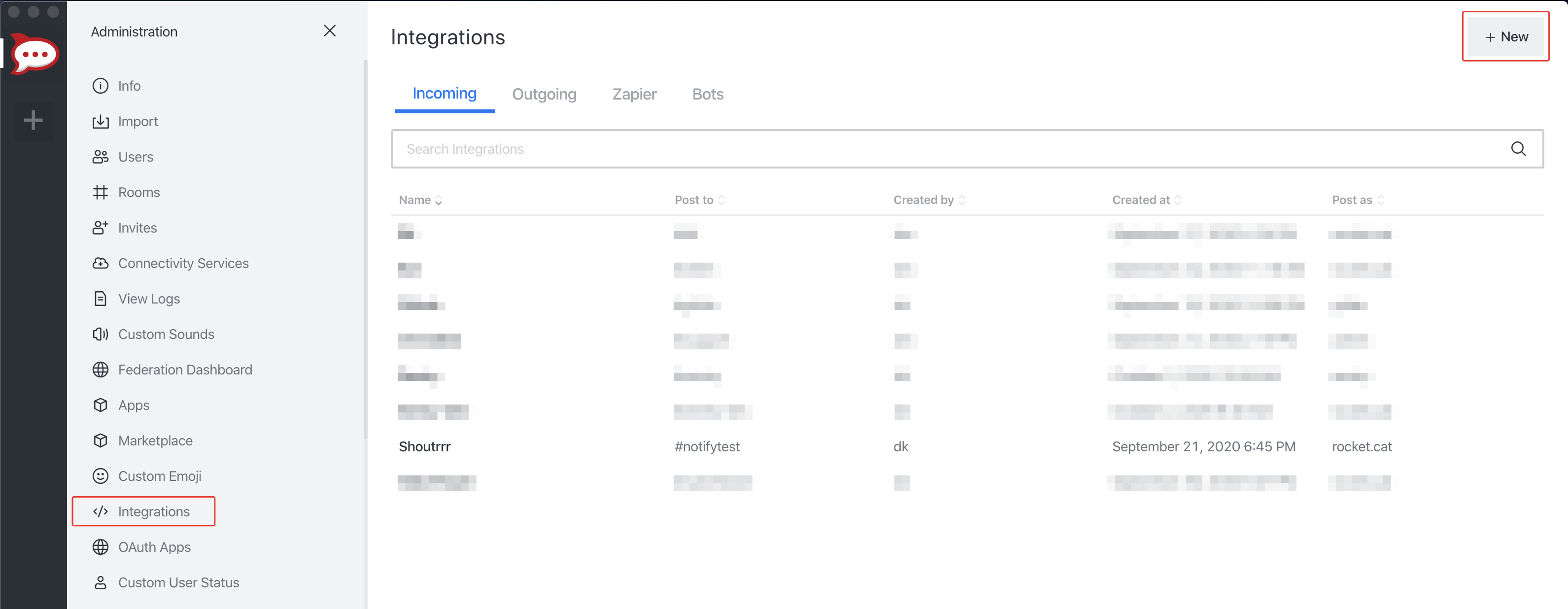
2. Open *Integrations* and then click *New* |
| 16 |
 |
| 17 |
|
| 18 |
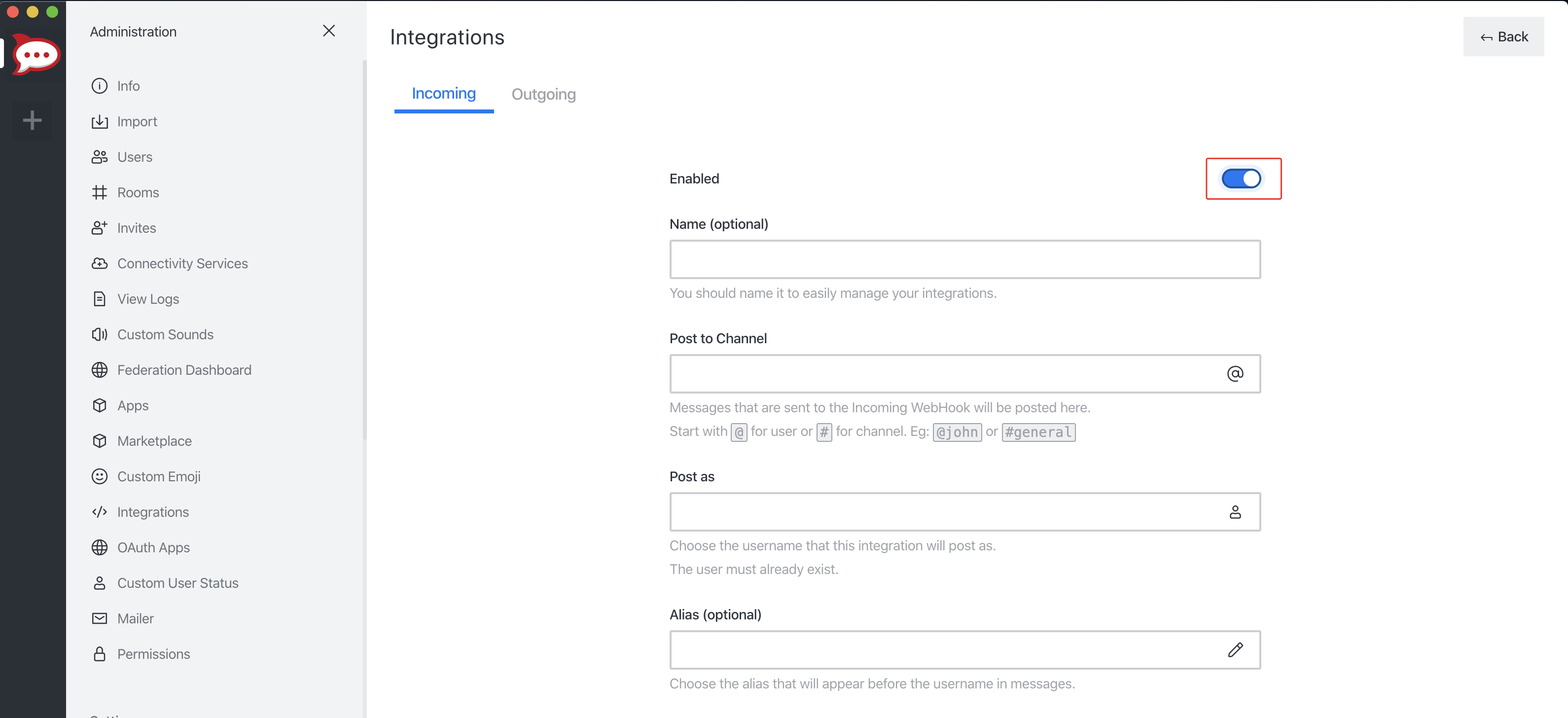
3. Fill in the information for the webhook and click *Save*. Please don't forget to Enable your integration. |
| 19 |
 |
| 20 |
|
| 21 |
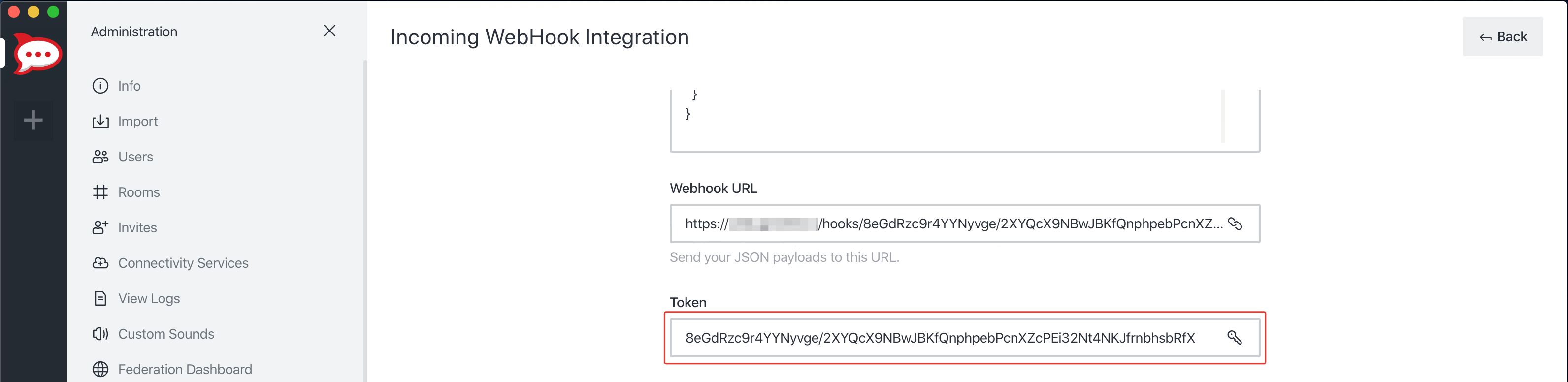
5. If you did everything correctly, Rocket.chat will give you the *URL* and *Token* to your newly created webhook. |
| 22 |
 |
| 23 |
|
| 24 |
6. Format the service URL |
| 25 |
|
| 26 |
```url |
| 27 |
rocketchat://your-domain.com/8eGdRzc9r4YYNyvge/2XYQcX9NBwJBKfQnphpebPcnXZcPEi32Nt4NKJfrnbhsbRfX |
| 28 |
└────────────────────────────────────────────────────────────────┘ |
| 29 |
token |
| 30 |
``` |
| 31 |
|
| 32 |
## Additional URL configuration |
| 33 |
|
| 34 |
Rocket.chat provides functionality to post as another user or to another channel / user, compared to the webhook configuration. |
| 35 |
<br/> |
| 36 |
To do this, you can add a *sender* and/or *channel* / *receiver* to the service URL. |
| 37 |
|
| 38 |
``` |
| 39 |
rocketchat://[email protected]/8eGdRzc9r4YYNyvge/2XYQcX9NBwJBKfQnphpebPcnXZcPEi32Nt4NKJfrnbhsbRfX/shoutrrrChannel |
| 40 |
└──────────┘ └────────────────────────────────────────────────────────────────┘ └─────────────┘ |
| 41 |
sender token channel |
| 42 |
|
| 43 |
rocketchat://[email protected]/8eGdRzc9r4YYNyvge/2XYQcX9NBwJBKfQnphpebPcnXZcPEi32Nt4NKJfrnbhsbRfX/@shoutrrrReceiver |
| 44 |
└──────────┘ └────────────────────────────────────────────────────────────────┘ └───────────────┘ |
| 45 |
sender token receiver |
| 46 |
``` |
| 47 |
|
| 48 |
## Passing parameters via code |
| 49 |
|
| 50 |
If you want to, you also have the possibility to pass parameters to the `send` function. |
| 51 |
<br/> |
| 52 |
The following example contains all parameters that are currently supported. |
| 53 |
|
| 54 |
```gotemplate |
| 55 |
params := (*types.Params)( |
| 56 |
&map[string]string{ |
| 57 |
"username": "overwriteUserName", |
| 58 |
"channel": "overwriteChannel", |
| 59 |
}, |
| 60 |
) |
| 61 |
|
| 62 |
service.Send("this is a message", params) |
| 63 |
``` |
| 64 |
|
| 65 |
This will overwrite any options, that you passed via URL. |
| 66 |
|
| 67 |
For more Rocket.chat Webhooks options see [official guide](https://docs.rocket.chat/guides/administrator-guides/integrations). |