| 1 |
# MatterMost |
| 2 |
|
| 3 |
## URL Format |
| 4 |
|
| 5 |
!!! info "" |
| 6 |
mattermost://[__`username`__@]__`mattermost-host`__/__`token`__[/__`channel`__][?icon=__`smiley`__&disabletls=__`yes`__] |
| 7 |
|
| 8 |
--8<-- "docs/services/chat/mattermost/config.md" |
| 9 |
|
| 10 |
## Creating a Webhook in MatterMost |
| 11 |
|
| 12 |
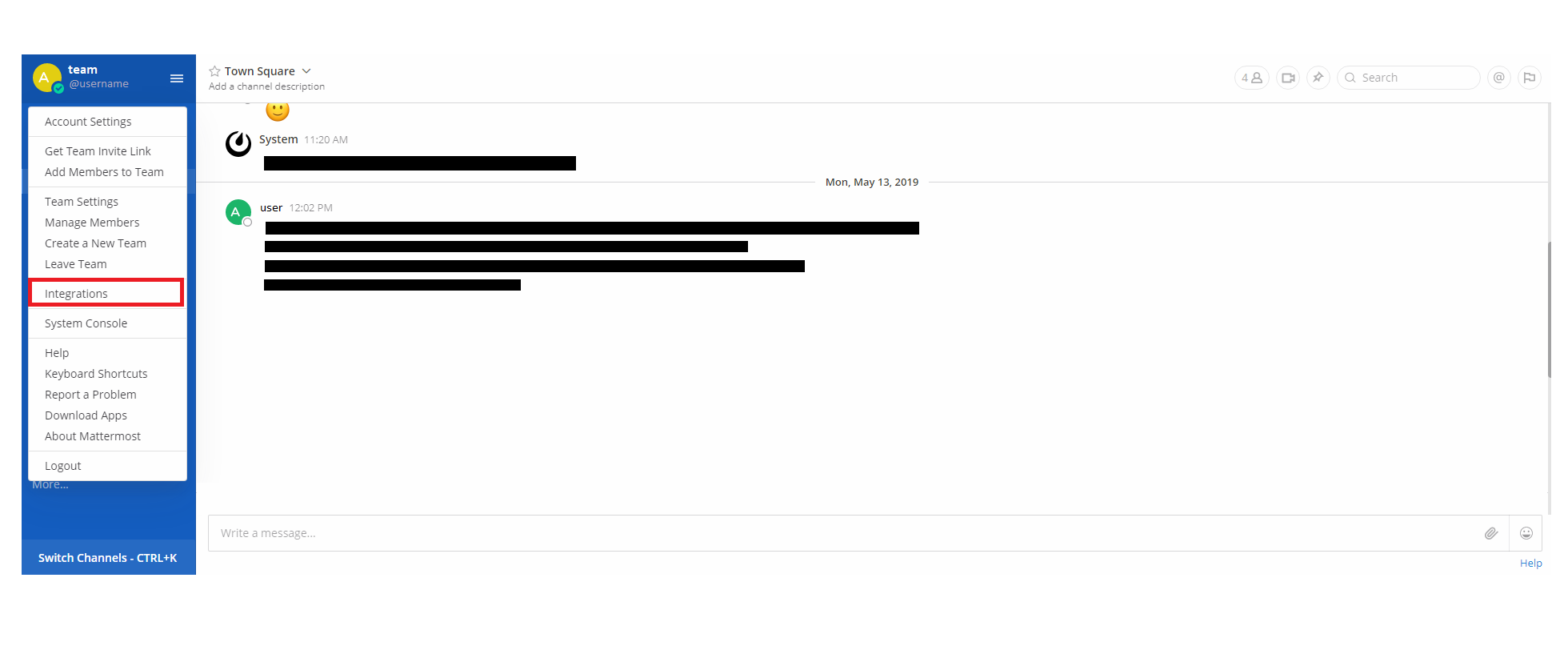
1. Open up the Integrations page by clicking on *Integrations* within the menu |
| 13 |
 |
| 14 |
|
| 15 |
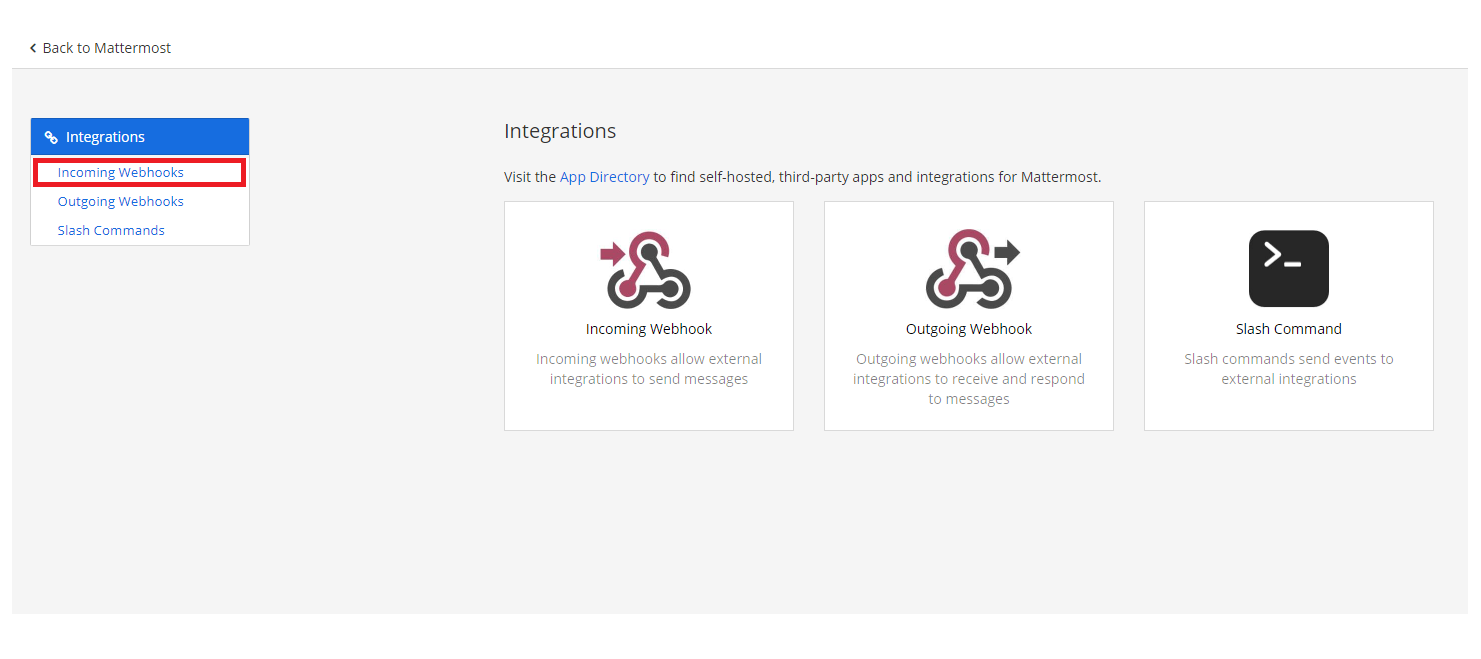
2. Click *Incoming Webhooks* |
| 16 |
 |
| 17 |
|
| 18 |
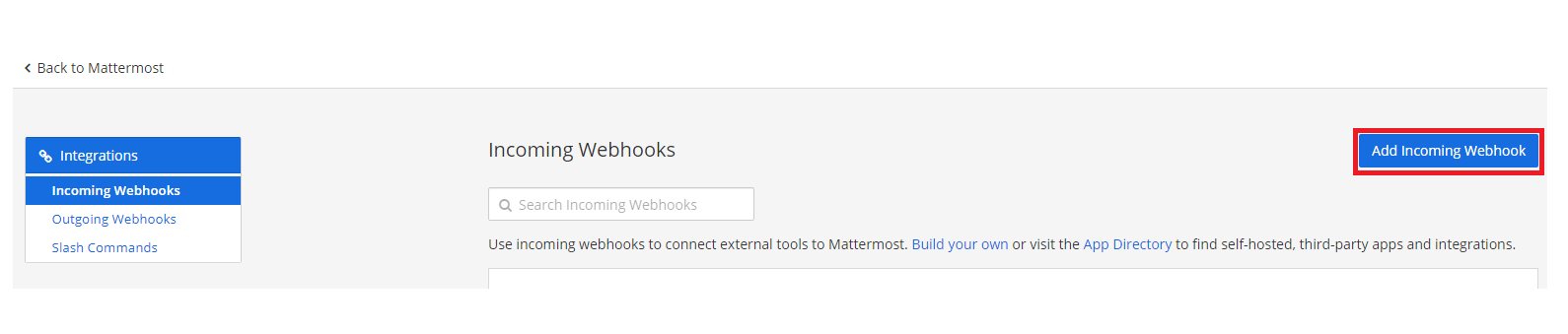
3. Click *Add Incoming Webhook* |
| 19 |
 |
| 20 |
|
| 21 |
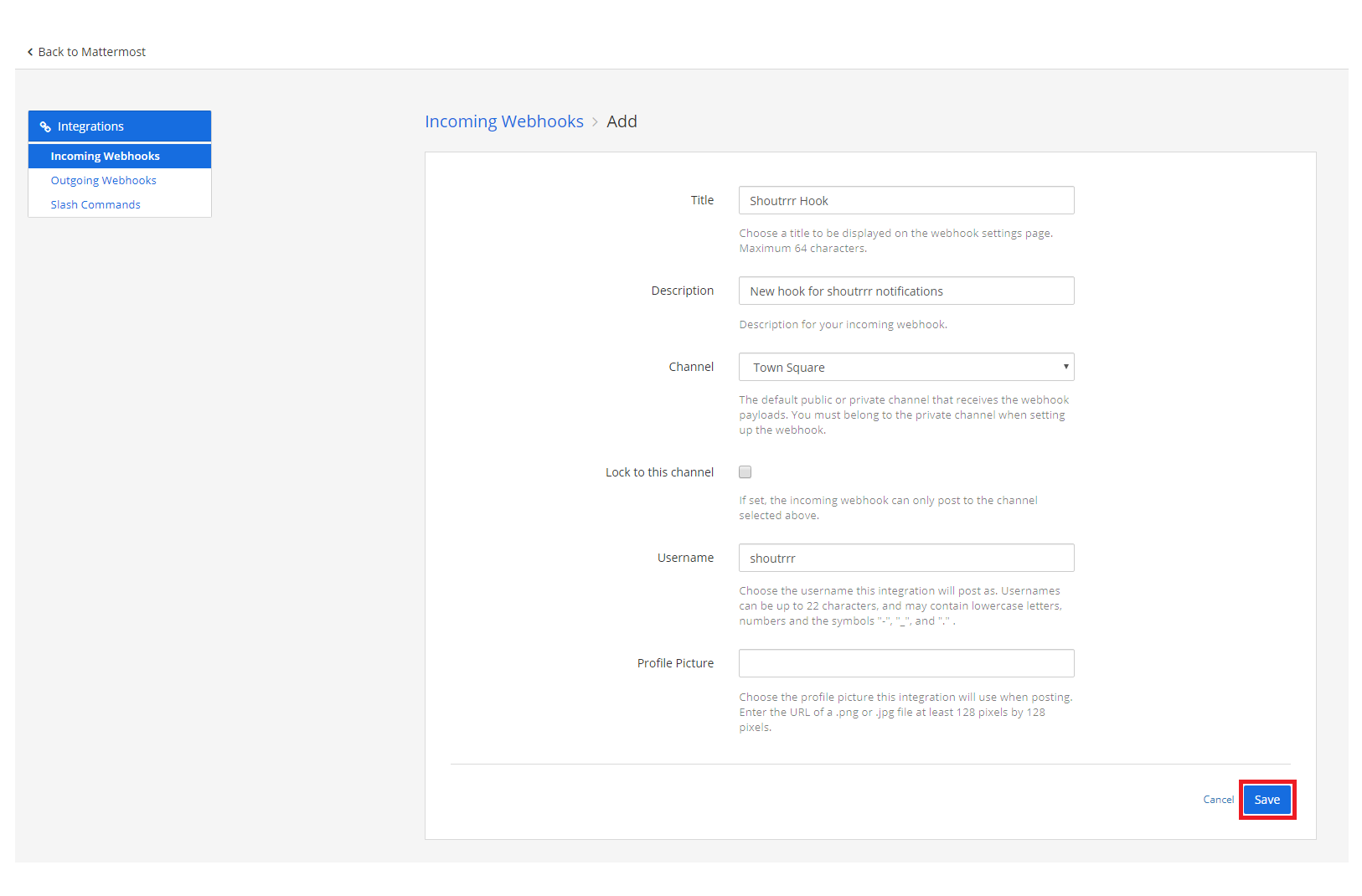
4. Fill in the information for the webhook and click *Save* |
| 22 |
 |
| 23 |
|
| 24 |
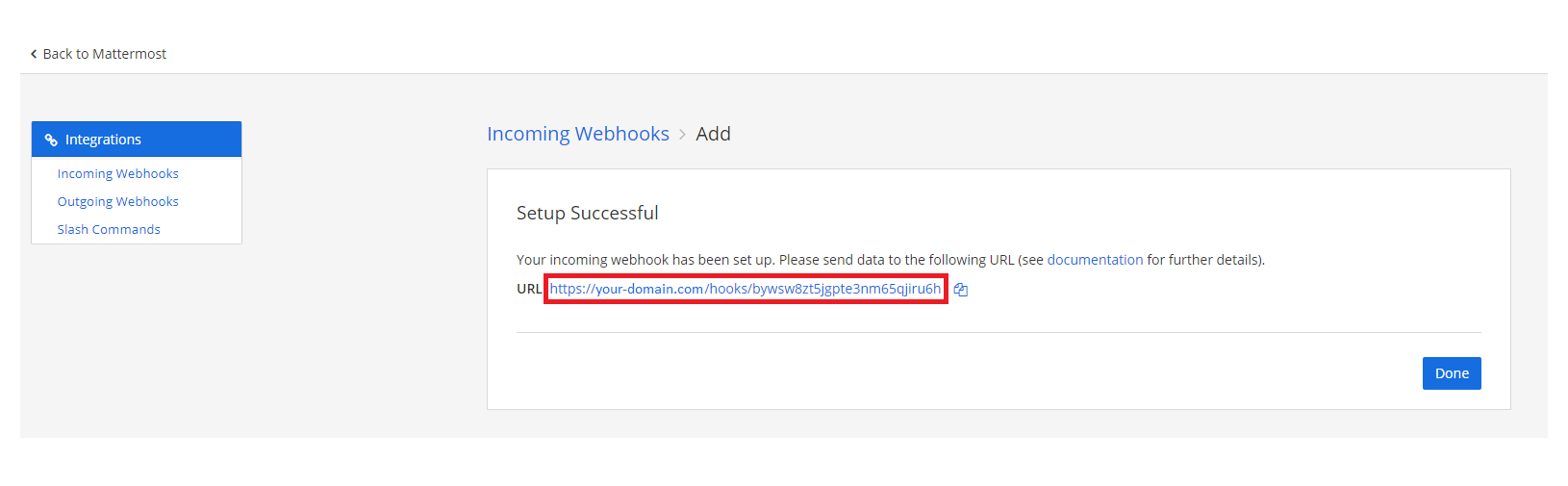
5. If you did everything correctly, MatterMost will give you the *URL* to your newly created webhook |
| 25 |
 |
| 26 |
|
| 27 |
6. Format the service URL |
| 28 |
|
| 29 |
```url |
| 30 |
https://your-domain.com/hooks/bywsw8zt5jgpte3nm65qjiru6h |
| 31 |
└────────────────────────┘ |
| 32 |
token |
| 33 |
mattermost://your-domain.com/bywsw8zt5jgpte3nm65qjiru6h |
| 34 |
└────────────────────────┘ |
| 35 |
token |
| 36 |
``` |
| 37 |
|
| 38 |
## Additional URL configuration |
| 39 |
|
| 40 |
Mattermost provides functionality to post as another user or to another channel, compared to the webhook configuration. |
| 41 |
<br/> |
| 42 |
To do this, you can add a *user* and/or *channel* to the service URL. |
| 43 |
|
| 44 |
```url |
| 45 |
mattermost://[email protected]/bywsw8zt5jgpte3nm65qjiru6h/shoutrrrChannel |
| 46 |
└──────────┘ └────────────────────────┘ └─────────────┘ |
| 47 |
user token channel |
| 48 |
``` |
| 49 |
|
| 50 |
## Using an Icon |
| 51 |
|
| 52 |
You can customize the notification icon using the `icon` query parameter. The icon can be either a Mattermost emoji name or an image URL. |
| 53 |
|
| 54 |
### Emoji Icon |
| 55 |
|
| 56 |
```url |
| 57 |
mattermost://your-domain.com/bywsw8zt5jgpte3nm65qjiru6h?icon=rocket |
| 58 |
``` |
| 59 |
|
| 60 |
### URL Icon |
| 61 |
|
| 62 |
```url |
| 63 |
mattermost://your-domain.com/bywsw8zt5jgpte3nm65qjiru6h?icon=https://example.com/logo.png |
| 64 |
``` |
| 65 |
|
| 66 |
## Passing parameters via code |
| 67 |
|
| 68 |
If you want to, you also have the possibility to pass parameters to the `send` function. |
| 69 |
<br/> |
| 70 |
The following example contains all parameters that are currently supported. |
| 71 |
|
| 72 |
```gotemplate |
| 73 |
params := (*types.Params)( |
| 74 |
&map[string]string{ |
| 75 |
"username": "overwriteUserName", |
| 76 |
"channel": "overwriteChannel", |
| 77 |
"icon": "overwriteIcon", |
| 78 |
}, |
| 79 |
) |
| 80 |
|
| 81 |
service.Send("this is a message", params) |
| 82 |
``` |
| 83 |
|
| 84 |
This will overwrite any options, that you passed via URL. |