| 1 |
# piano / input pad |
| 2 |
|
| 3 |
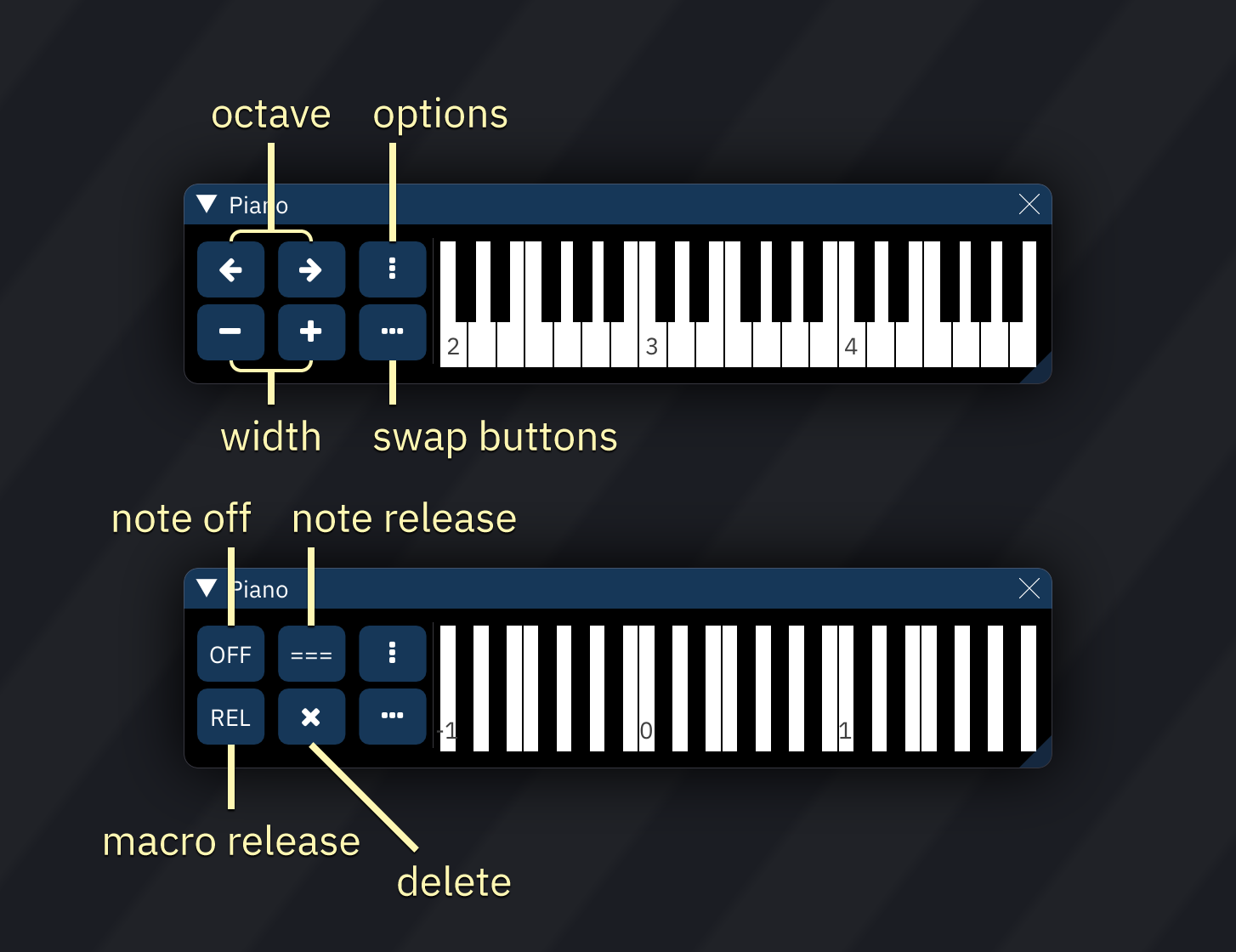
the piano serves as a non-keyboard interface to input notes. |
| 4 |
|
| 5 |
 |
| 6 |
|
| 7 |
the buttons at the left do the following: |
| 8 |
|
| 9 |
| | | | |
| 10 |
| :---: | :---: | :---: | |
| 11 |
| move one octave down | move one octave up | open options | |
| 12 |
| fewer visible octaves | more visible octaves | swap buttons | |
| 13 |
|
| 14 |
when swapped, the buttons do the following: |
| 15 |
|
| 16 |
| | | | |
| 17 |
| :---: | :---: | :---: | |
| 18 |
| input note off | input note release | open options | |
| 19 |
| input macro release | delete | swap buttons | |
| 20 |
|
| 21 |
every C key is labelled with its octave. |
| 22 |
|
| 23 |
right-clicking on the piano keys will make the buttons disappear; right-clicking again brings them back. |
| 24 |
|
| 25 |
## options |
| 26 |
|
| 27 |
key layout: |
| 28 |
- **Automatic** |
| 29 |
- **Standard**: black keys are 2/3 length. |
| 30 |
- **Continuous**: black keys are full length. |
| 31 |
|
| 32 |
**Share play/edit offset/range**: if disabled, the piano will keep different octave and range values for playback and non-playback states. |
| 33 |
**Read-only (can't input notes): prevents note entry. |