| 1 |
# mixer |
| 2 |
|
| 3 |
the "Mixer" dialog provides options for overall sound mixing. |
| 4 |
|
| 5 |
## "Mixer" tab |
| 6 |
|
| 7 |
 |
| 8 |
|
| 9 |
"Master Volume" controls the overall mix. |
| 10 |
|
| 11 |
each chip has several options: |
| 12 |
- **Invert**: flips the output wave. |
| 13 |
- **Volume**: controls the chip's volume relative to other chips. |
| 14 |
- **Panning**: left-right sound control. |
| 15 |
- **Front/Rear**: front-read sound control. only useful for setups with four or more speakers. |
| 16 |
|
| 17 |
## "Patchbay" tab |
| 18 |
|
| 19 |
 |
| 20 |
|
| 21 |
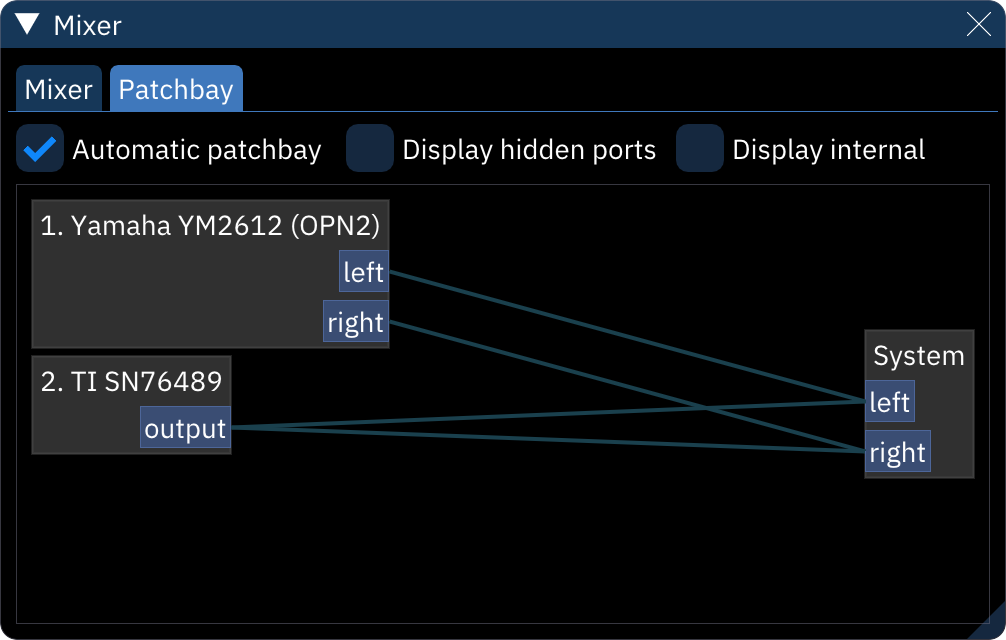
- **Automatic patchbay**: make appropriate connections when adding, removing, or changing chips and chip settings. |
| 22 |
- **Display hidden ports**: shows all available connection ports. the "System" unit actually has 16 ports; 1 maps to the left channel, and 2 maps to the right. |
| 23 |
- **Display internal**: hows two additional units, one for sample previews and one for the metronome sound. |
| 24 |
|
| 25 |
the graph shows each existing unit along with their outputs, inputs, and the "patch cables" connecting them. connections can be made by dragging between an output and an input. right-clicking on a unit gives the option to disconnect all patches from that unit. |