| 1 |
# channels |
| 2 |
|
| 3 |
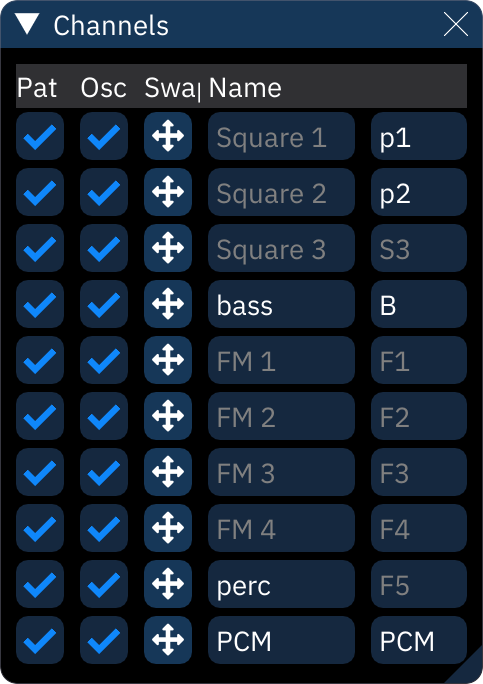
the "Channels" dialog allows manipulation of the song's channels. |
| 4 |
|
| 5 |
 |
| 6 |
|
| 7 |
each channel has the following options: |
| 8 |
- **Pat**: uncheck the box to hide the channel from the pattern view. pattern data will be kept. |
| 9 |
- **Osc**: uncheck the box to hide the channel from the per-channel oscilloscope view. |
| 10 |
- **Swap**: click and drag to rearrange pattern data throughout the song. |
| 11 |
- note: this does **not** move channels around! it only moves the channel's pattern data. |
| 12 |
- **Name**: the name displayed at the top of each channel in the pattern view. |
| 13 |
- the next setting is "short name", which is displayed in the orders view and/or when a channel is collapsed. |