| 1 |
# License Analysis Using FOSSology |
| 2 |
|
| 3 |
This document explains how to generate a license information file in the |
| 4 |
[SPDX 2.3 tag-value format](https://spdx.github.io/spdx-spec/v2.3/) |
| 5 |
using the open-source software license analysis tool |
| 6 |
[FOSSology](https://github.com/fossology/fossology). |
| 7 |
|
| 8 |
Specifically, it details the analysis of the |
| 9 |
[entire ESSTRA repository](https://github.com/sony/esstra) |
| 10 |
with FOSSology, resulting in the generation of an SPDX 2.3 tag-value format file, |
| 11 |
[`SPDX2TV_esstra.spdx`](../output-examples/SPDX2TV_esstra.spdx). |
| 12 |
|
| 13 |
By providing this file to the |
| 14 |
[ESSTRA Utility](/util/README.md), |
| 15 |
you can associate license information with each file's information in the |
| 16 |
metadata embedded in the binary. |
| 17 |
|
| 18 |
## Starting the FOSSology Server |
| 19 |
|
| 20 |
We will use the FOSSology container image provided on |
| 21 |
[Docker Hub](https://hub.docker.com/). |
| 22 |
Pull the FOSSology container image with the following command: |
| 23 |
|
| 24 |
```sh |
| 25 |
$ docker pull fossology/fossology |
| 26 |
``` |
| 27 |
|
| 28 |
Once successful, start the FOSSology server with the following command: |
| 29 |
|
| 30 |
```sh |
| 31 |
$ docker run -p 8081:80 fossology/fossology |
| 32 |
``` |
| 33 |
|
| 34 |
This will allow you to access the FOSSology server via port 8081 on the |
| 35 |
host. Open a web browser and go to: |
| 36 |
|
| 37 |
* `http://<host_ip_addr>:8081/repo` |
| 38 |
|
| 39 |
When accessing FOSSology, you need to append `/repo` to the URL. |
| 40 |
|
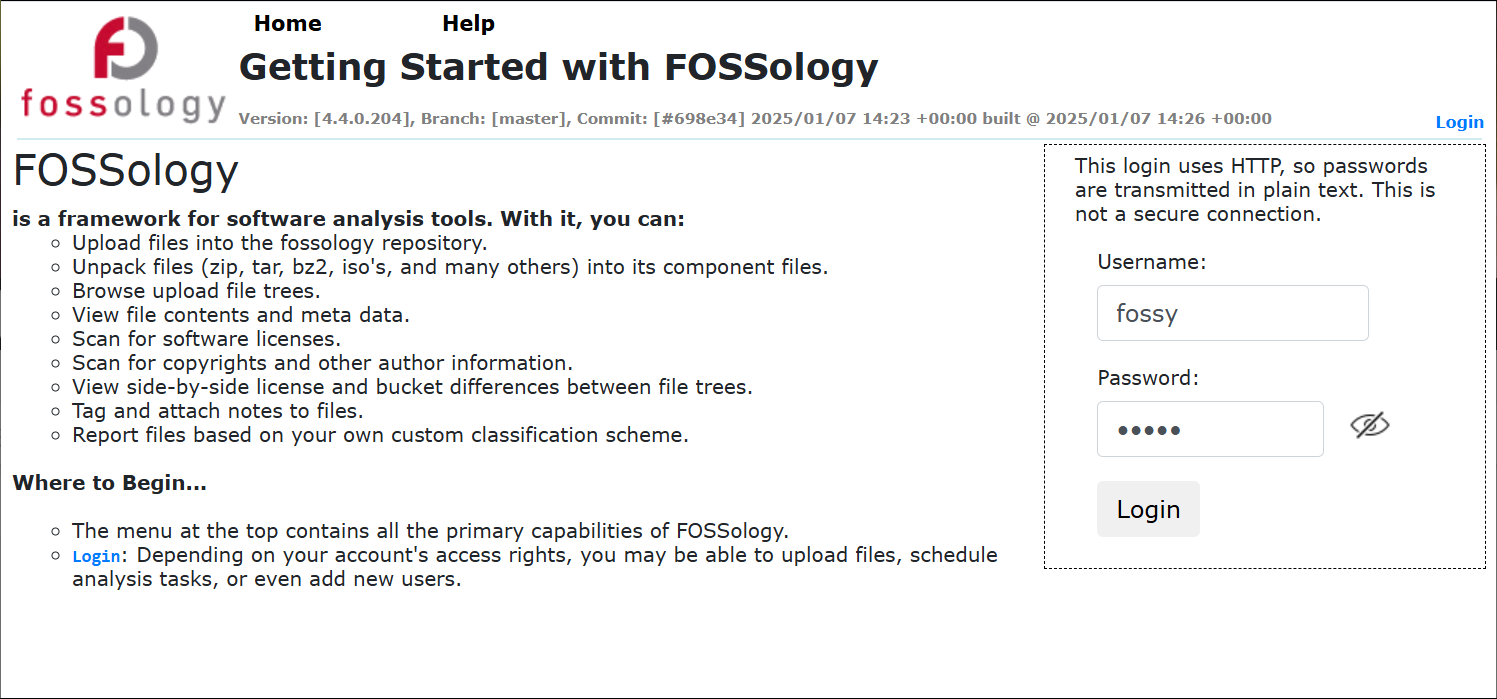
| 41 |
Then the FOSSology startup screen will appear in your browser. Enter `fossy` for |
| 42 |
both "Username:" and "Password:" to log in. |
| 43 |
|
| 44 |
 |
| 45 |
|
| 46 |
## Analyzing Source Code with FOSSology |
| 47 |
|
| 48 |
The reason for explaining how to use FOSSology in this document is to identify |
| 49 |
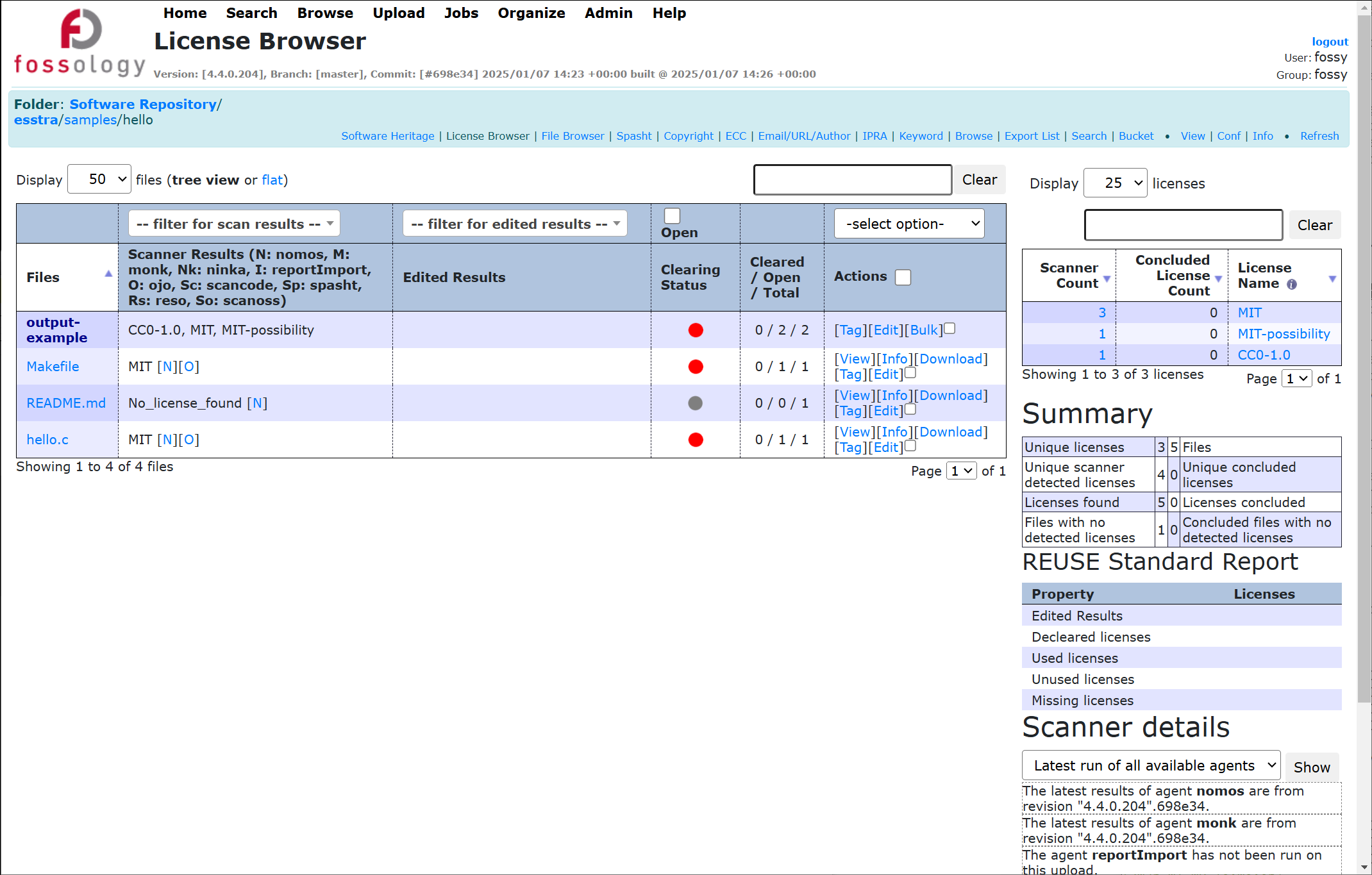
the licenses of some files included in the samples. However, for simplicity, we |
| 50 |
will scan the entire [ESSTRA GitHub repository](https://github.com/sony/esstra) |
| 51 |
and generate a single license information file that can be used for all samples. |
| 52 |
|
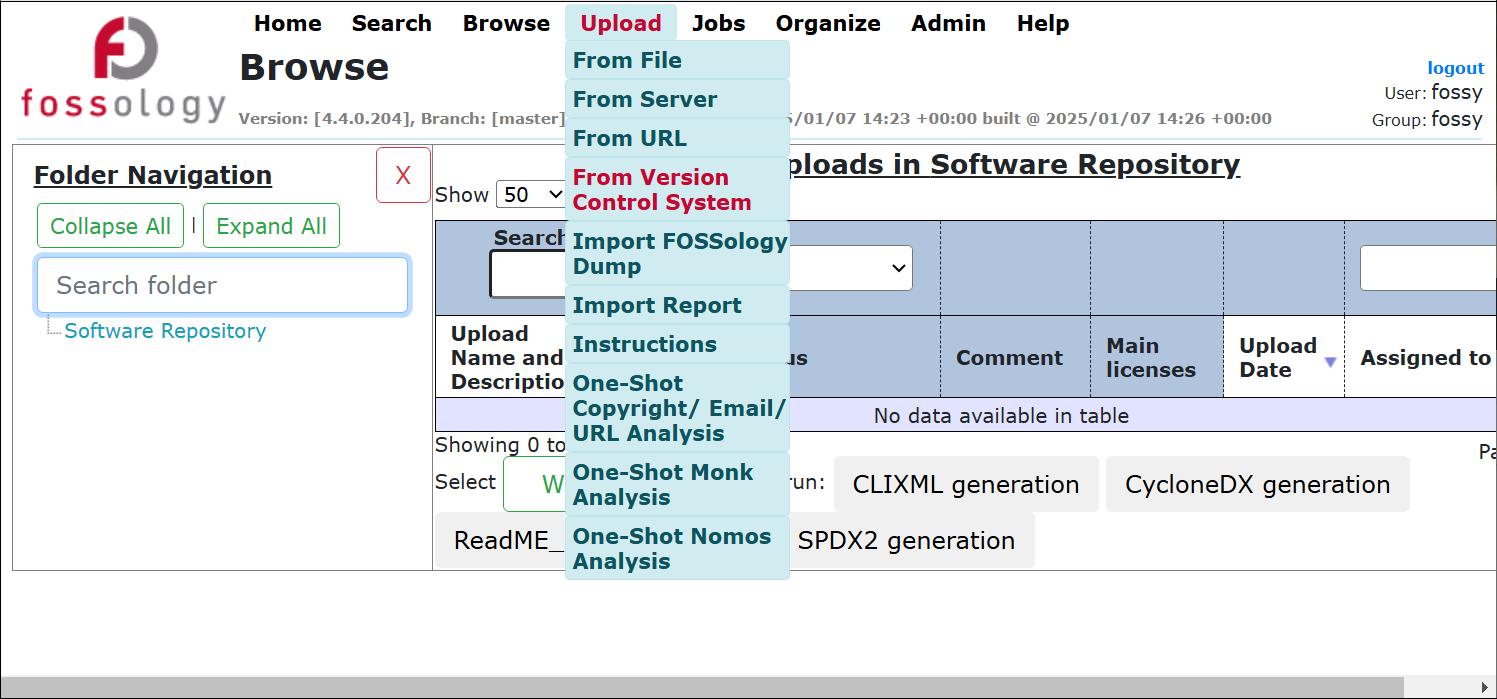
| 53 |
First, click on the "Upload" menu at the top of the screen and select "From |
| 54 |
Version Control System". |
| 55 |
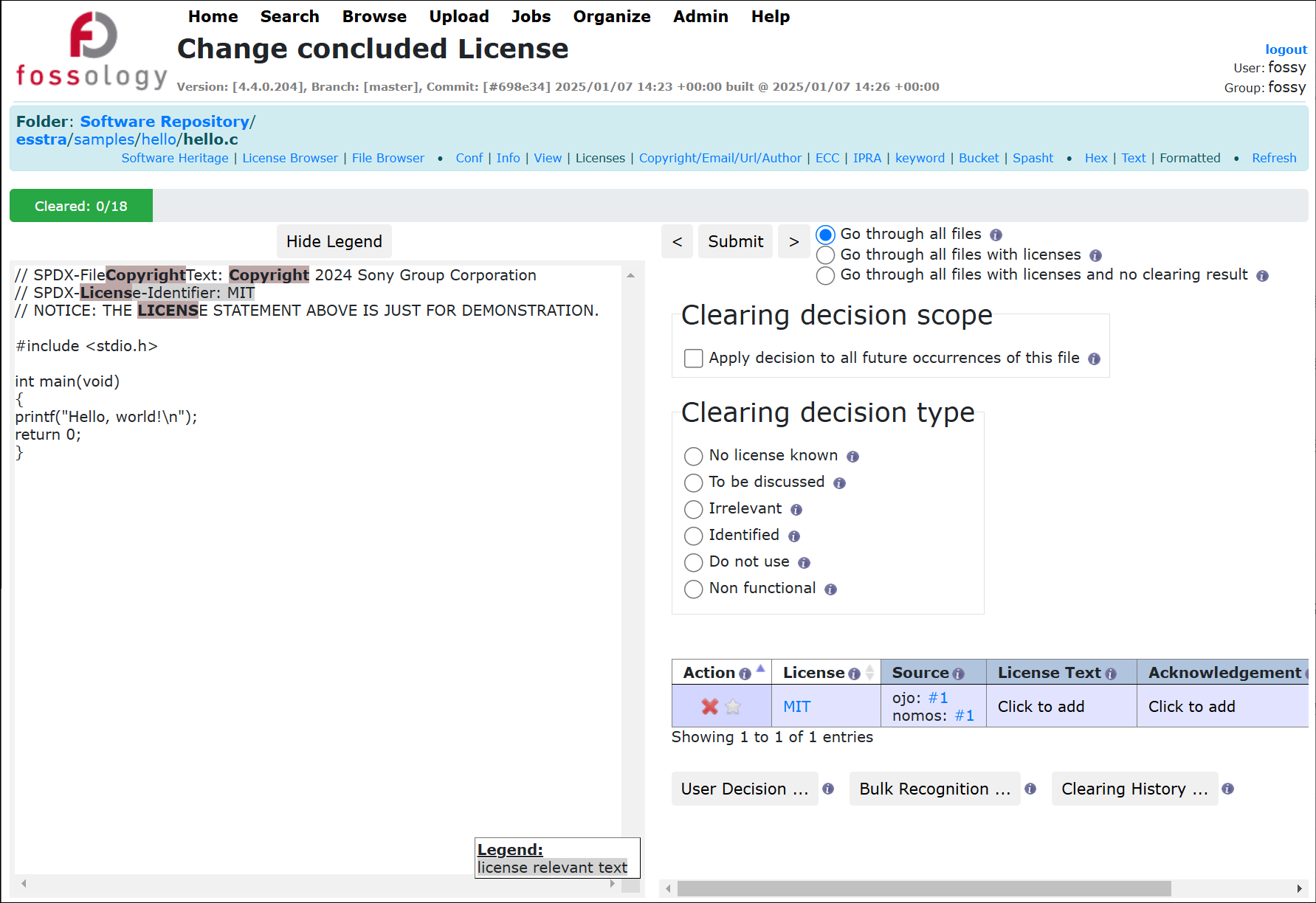
|
| 56 |
 |
| 57 |
|
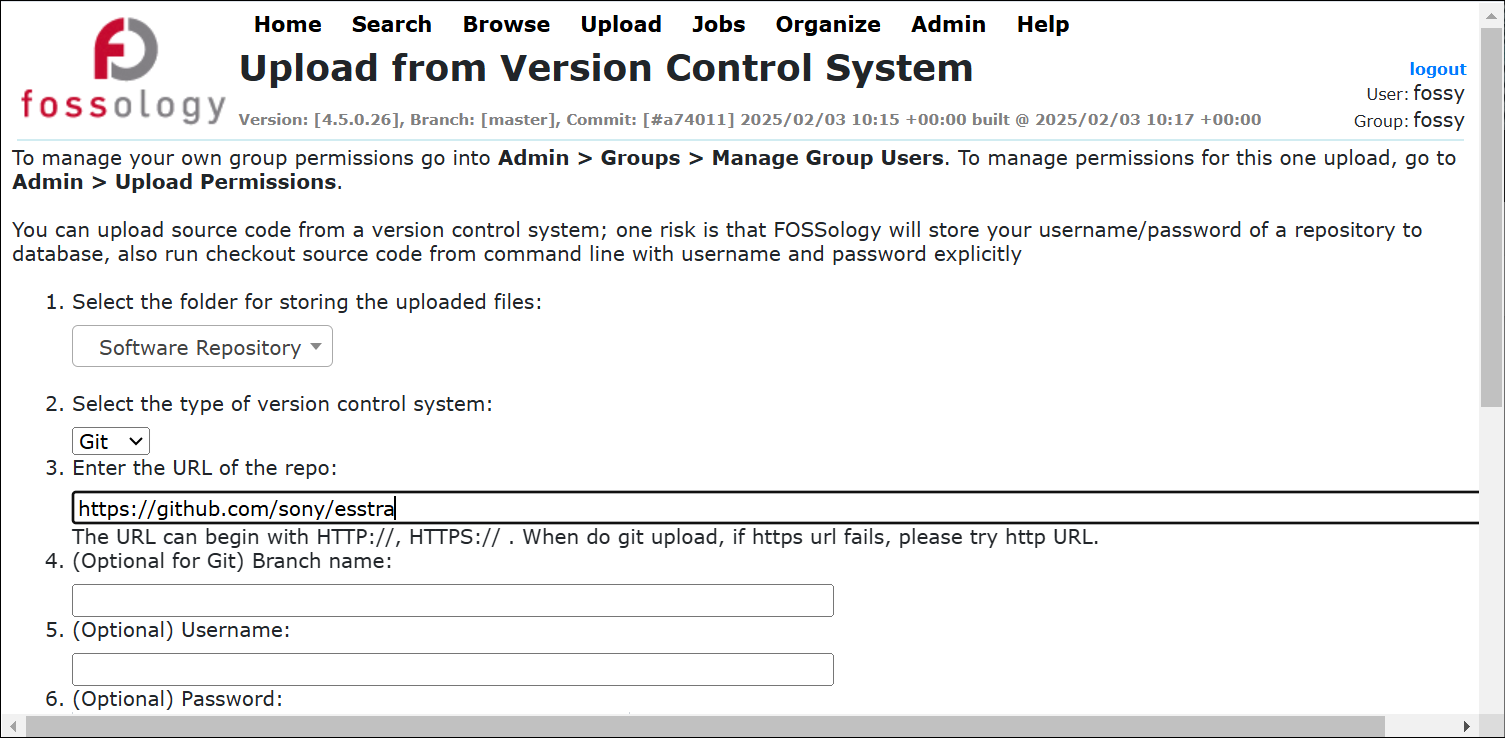
| 58 |
You will be taken to a screen titled "Upload from Version Control System". |
| 59 |
Then enter: |
| 60 |
|
| 61 |
* "https://github.com/sony/esstra". |
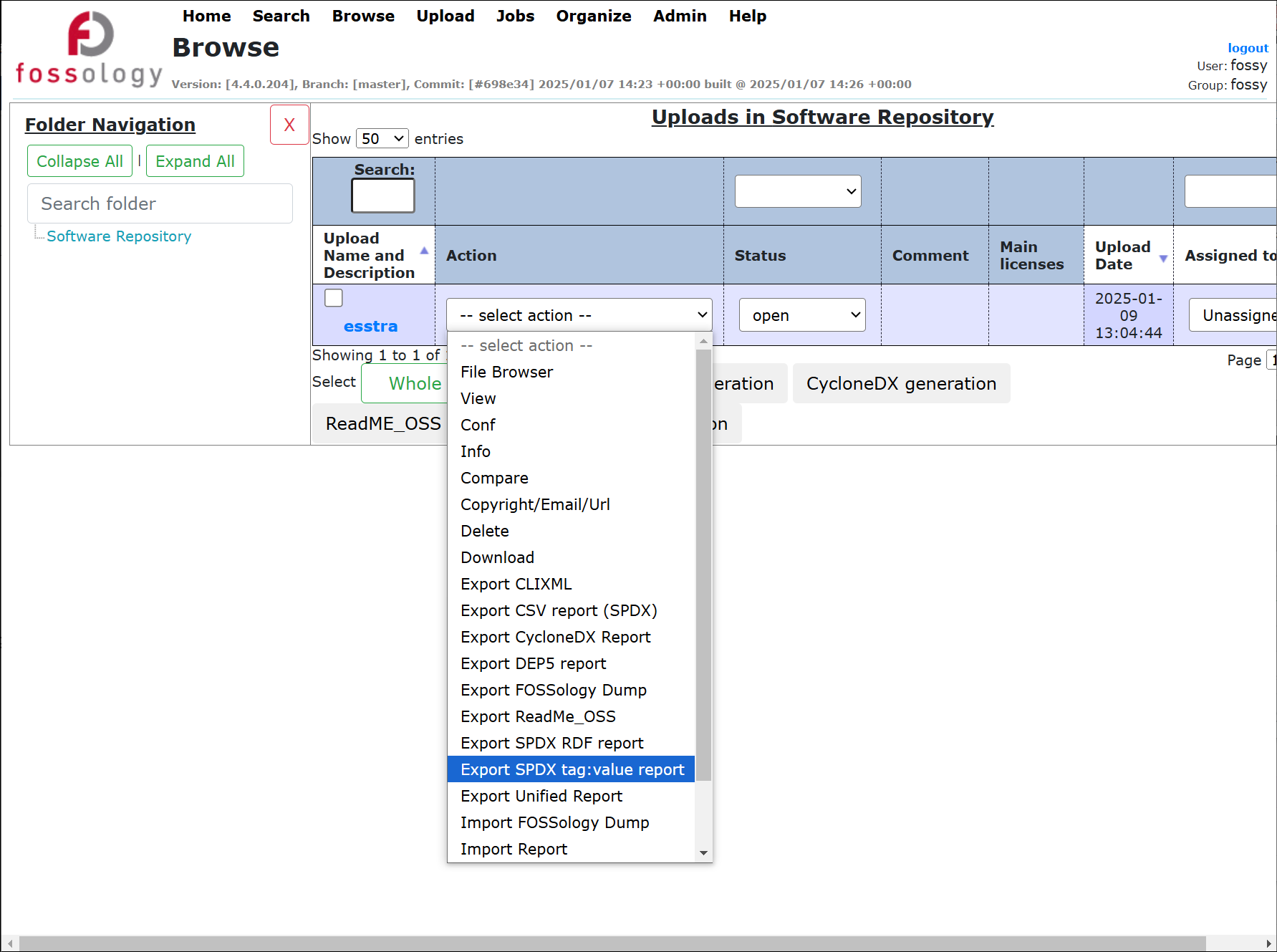
| 62 |
|
| 63 |
in the field "3. Enter the URL of the repo:". |
| 64 |
|
| 65 |
 |
| 66 |
|
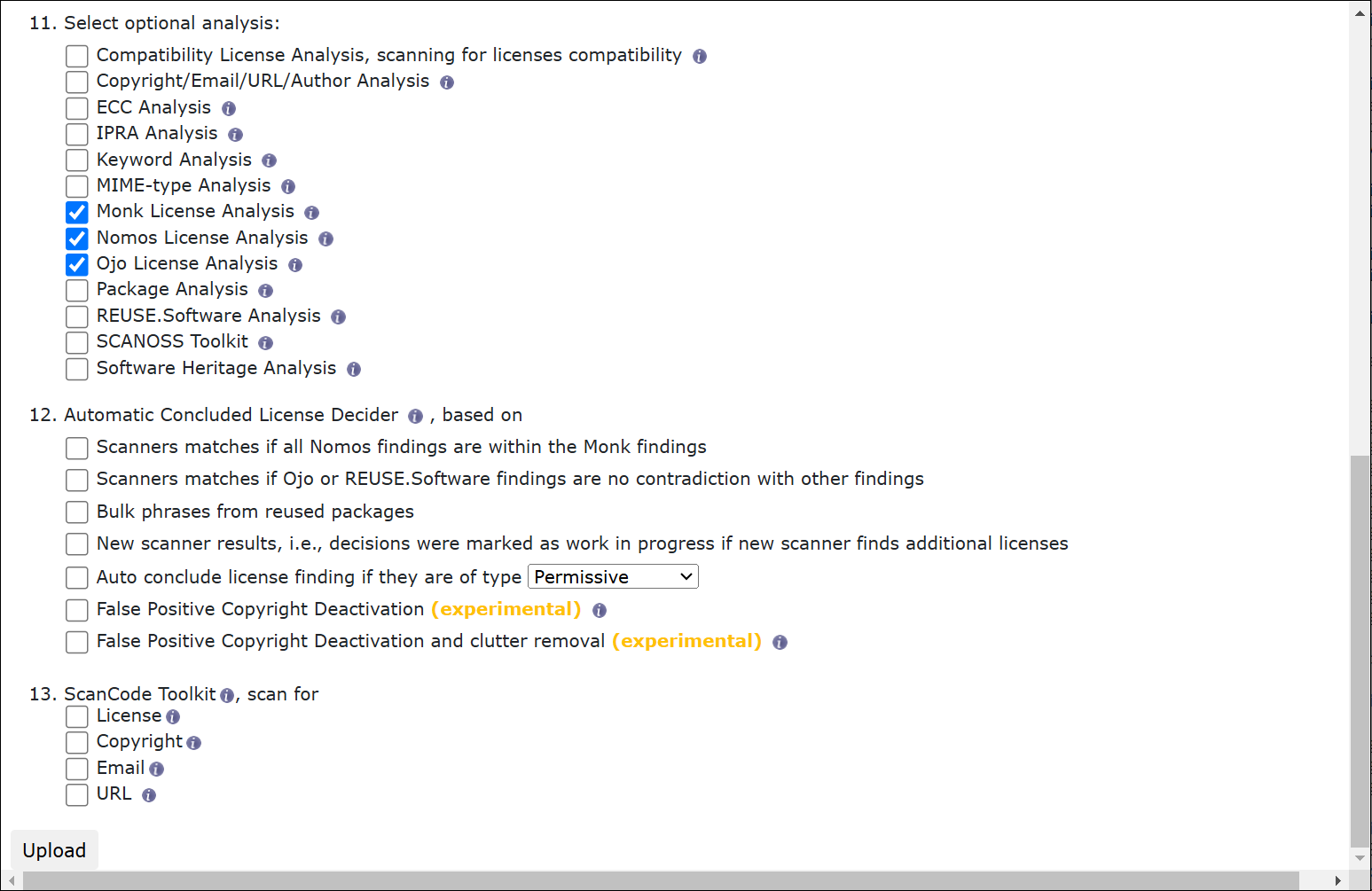
| 67 |
Scroll down the page and check at least the following items listed under |
| 68 |
"11. Select optional analysis:", then click the "Upload" button at the bottom |
| 69 |
of the page: |
| 70 |
|
| 71 |
* Monk License Analysis |
| 72 |
* Nomos License Analysis |
| 73 |
* Ojo License Analysis |
| 74 |
|
| 75 |
 |
| 76 |
|
| 77 |
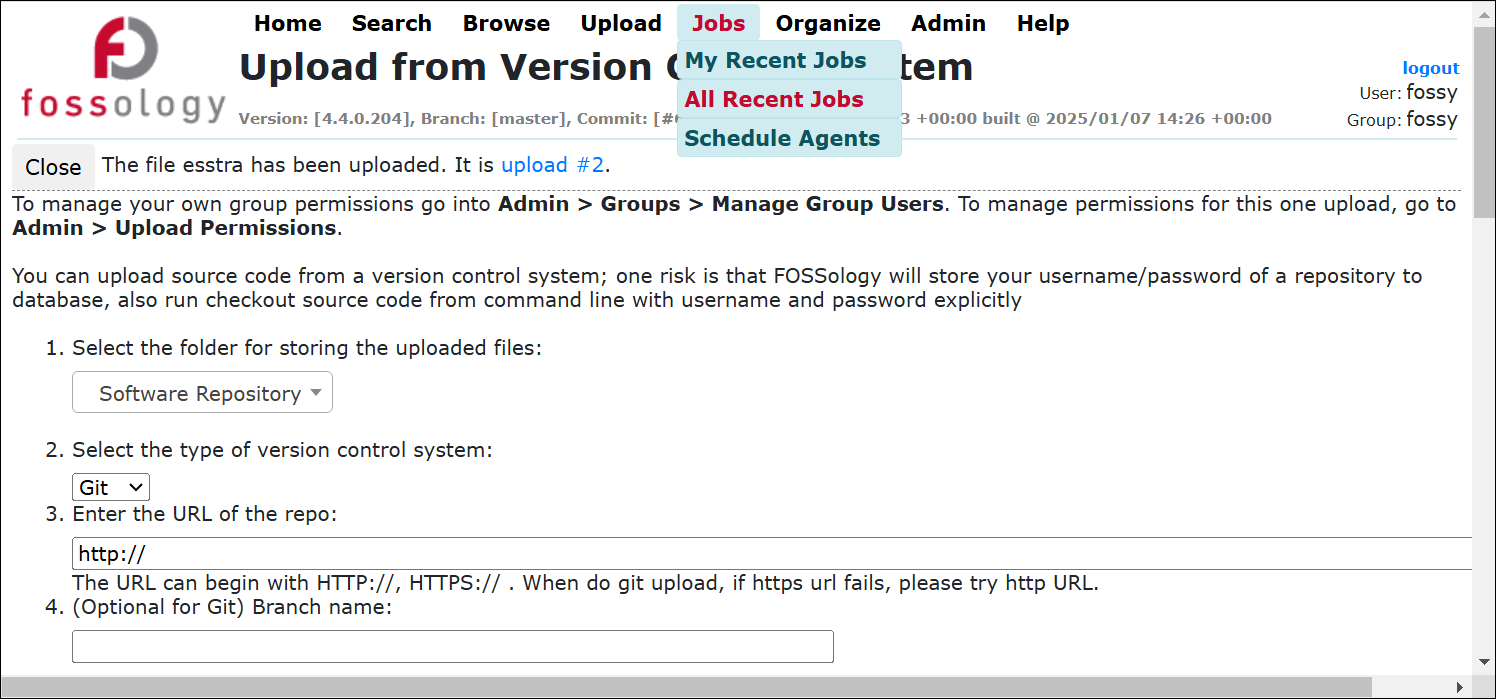
The page will reload, and you should see a message just below the logo at the |
| 78 |
top of the screen saying: |
| 79 |
|
| 80 |
* The file esstra has been uploaded. It is upload #x. |
| 81 |
|
| 82 |
Then, click on the "Jobs" menu at the top of the screen and select "All Recent Jobs". |
| 83 |
|
| 84 |
 |
| 85 |
|
| 86 |
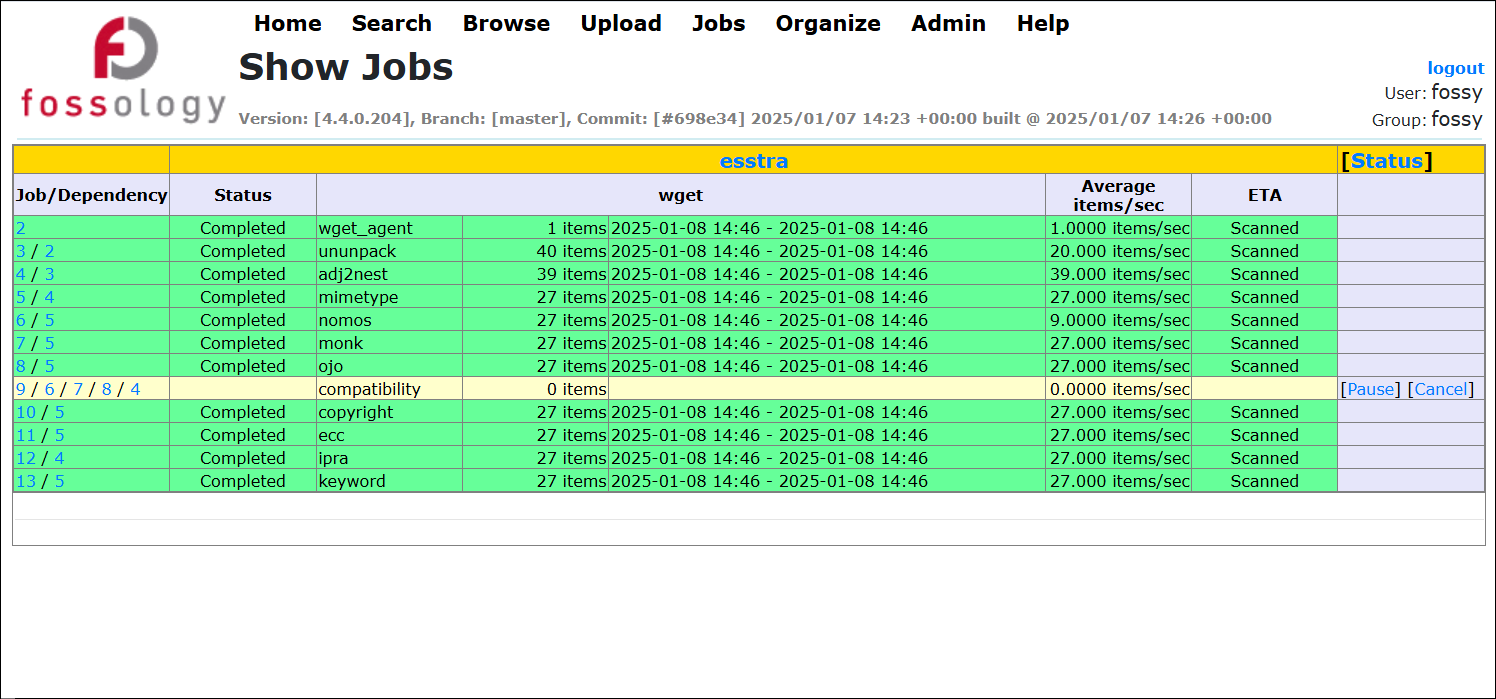
A list of jobs running within the FOSSology system will be displayed. Wait |
| 87 |
until all the jobs are "Completed". |
| 88 |
|
| 89 |
 |
| 90 |
|
| 91 |
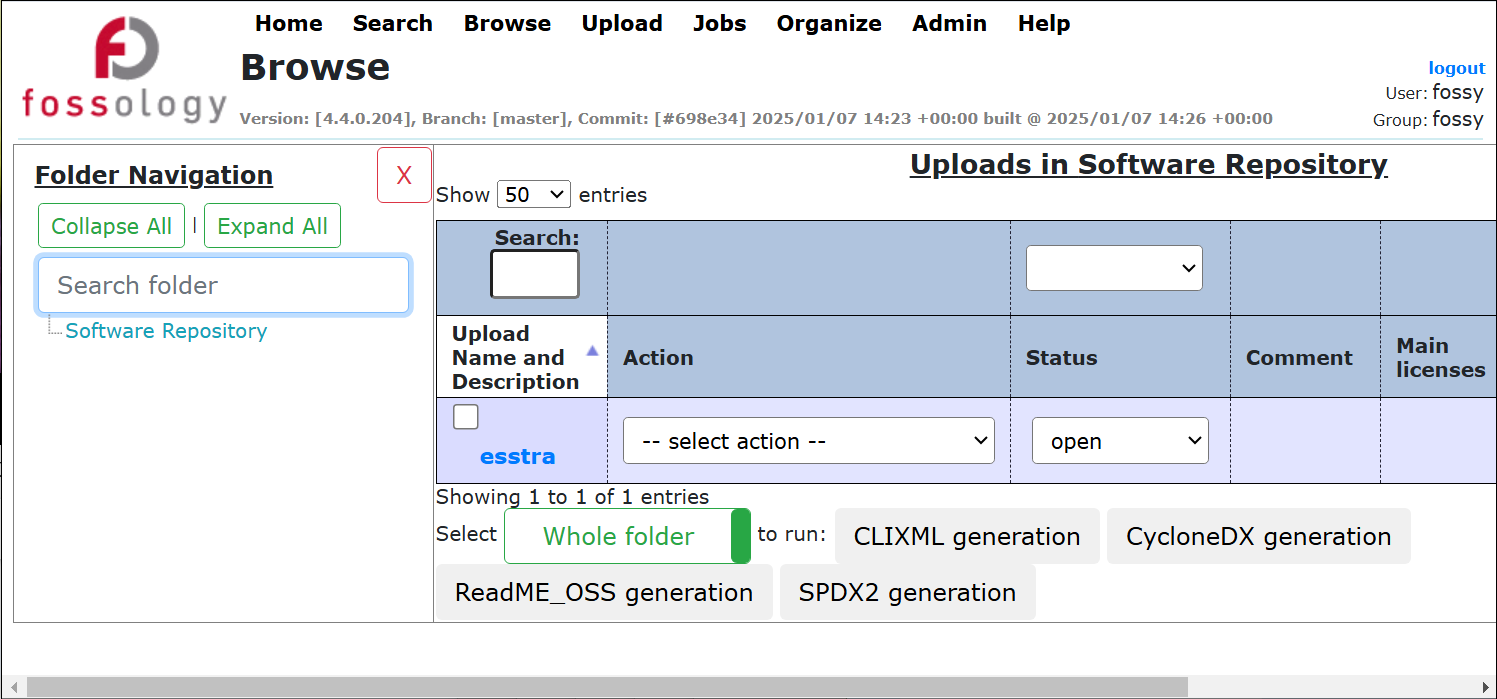
Next, click on the "Browse" menu at the top of the screen. A list of source |
| 92 |
codes loaded into FOSSology will be displayed. Confirm that an item named |
| 93 |
"esstra" appears and click on it. |
| 94 |
|
| 95 |
 |
| 96 |
|
| 97 |
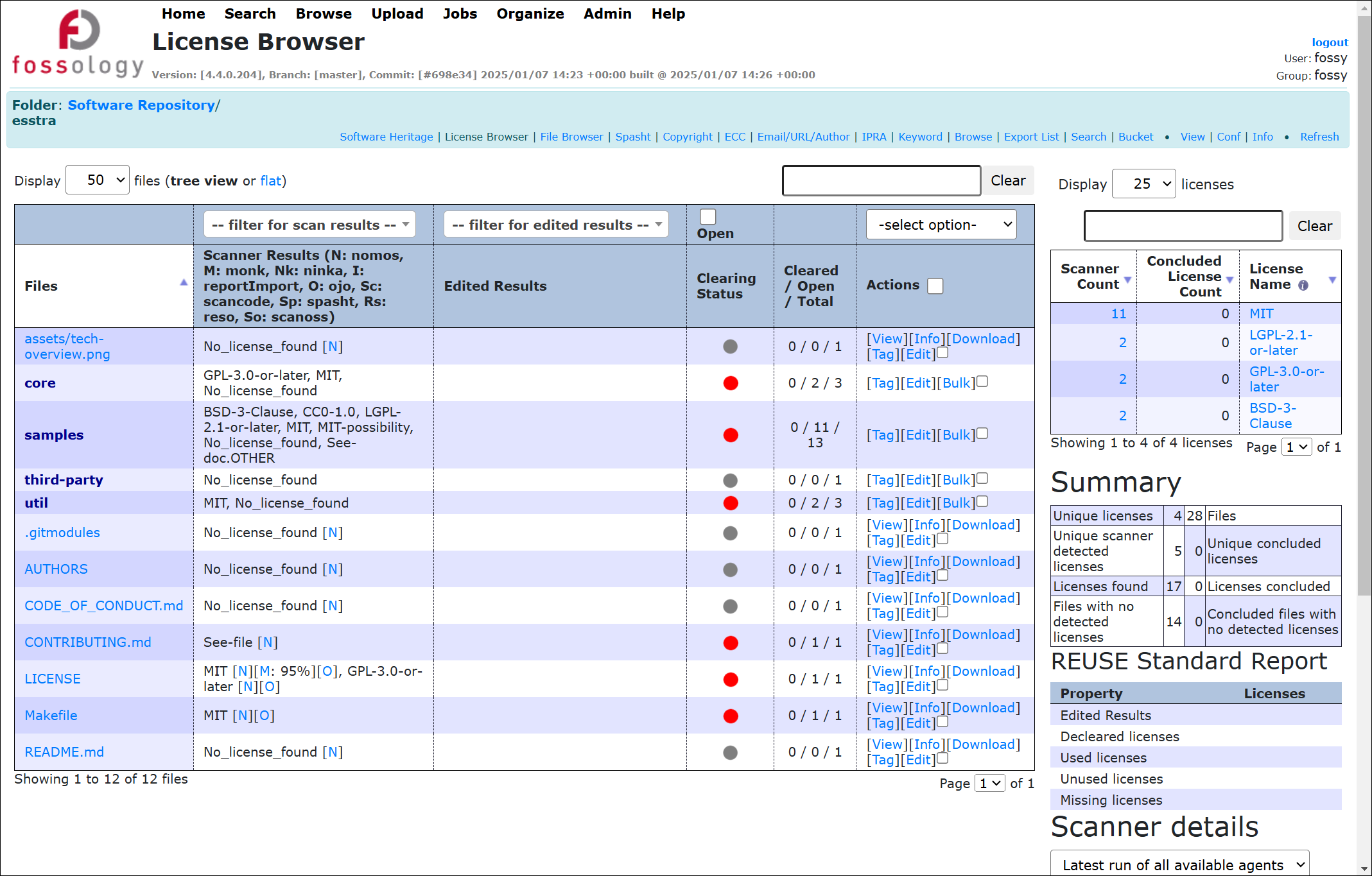
You will be taken to a page titled "License Browser". On this screen, you can |
| 98 |
see the results of the license scan for all files in the |
| 99 |
[ESSTRA repository](https://github.com/sony/esstra). |
| 100 |
|
| 101 |
 |
| 102 |
|
| 103 |
For example, in the [Sample "hello"](./README.md), we assume that `hello.c` is |
| 104 |
under the MIT license. To verify that this is recognized as intended, click |
| 105 |
through `samples` > `hello` > `hello.c`. |
| 106 |
|
| 107 |
 |
| 108 |
|
| 109 |
Finally, you will be taken to a screen displaying the contents of |
| 110 |
`hello.c`. Check the "License" section in the table at the bottom right. |
| 111 |
|
| 112 |
 |
| 113 |
|
| 114 |
Since it shows "MIT", we can confirm that FOSSology has correctly recognized |
| 115 |
the license of `hello.c` as "MIT License". |
| 116 |
|
| 117 |
## Downloading FOSSology Scan Results |
| 118 |
|
| 119 |
Click on the "Browse" menu at the top of the screen to navigate to the page |
| 120 |
displaying the list of source codes loaded into FOSSology. |
| 121 |
|
| 122 |
Click on "-- select action --" to the right of "esstra" to reveal a dropdown |
| 123 |
list, then select "Export SPDX tag:value report". This will download the scan |
| 124 |
results for all files in the |
| 125 |
[ESSTRA repository](https://github.com/sony/esstra) |
| 126 |
as an SPDX tag-value format file named |
| 127 |
[`SPDX2TV_esstra.spdx`](../output-examples/SPDX2TV_esstra.spdx). |
| 128 |
|
| 129 |
 |
| 130 |
|
| 131 |
Below is a portion of the downloaded file `SPDX2TV_esstra.spdx`: |
| 132 |
|
| 133 |
```yaml |
| 134 |
SPDXVersion: SPDX-2.3 |
| 135 |
DataLicense: CC0-1.0 |
| 136 |
|
| 137 |
##------------------------- |
| 138 |
## Document Information |
| 139 |
##------------------------- |
| 140 |
|
| 141 |
DocumentNamespace: http://789bc35d6e0e/repo/SPDX2TV_esstra.spdx |
| 142 |
DocumentName: /srv/fossology/repository/report |
| 143 |
SPDXID: SPDXRef-DOCUMENT |
| 144 |
|
| 145 |
: |
| 146 |
|
| 147 |
##-------------------------- |
| 148 |
## File Information |
| 149 |
##-------------------------- |
| 150 |
|
| 151 |
: |
| 152 |
|
| 153 |
##File |
| 154 |
|
| 155 |
FileName: esstra/samples/hello/hello.c |
| 156 |
SPDXID: SPDXRef-item146 |
| 157 |
FileChecksum: SHA1: e7834d0b9cb6cb116c72f0bee7da29e3d280b27e |
| 158 |
FileChecksum: SHA256: 8134eae34d2a46ffdaedc04628427282d3d73ae47affd33463111efc89fa5a96 |
| 159 |
FileChecksum: MD5: b5ca38edd7197004cfb8290d0ca0e87d |
| 160 |
LicenseConcluded: NOASSERTION |
| 161 |
|
| 162 |
LicenseInfoInFile: MIT |
| 163 |
FileCopyrightText: NOASSERTION |
| 164 |
|
| 165 |
: |
| 166 |
|
| 167 |
``` |
| 168 |
|
| 169 |
This file contains various pieces of information, however, you can see that the |
| 170 |
information of the file `hello.c` includes a line `LicenseInfoInFile: MIT`. |
| 171 |
|
| 172 |
## Summary |
| 173 |
|
| 174 |
This document has demonstrated how to analyze the entire repository using the |
| 175 |
license analysis tool |
| 176 |
[FOSSology](https://github.com/fossology/fossology) |
| 177 |
and generate a file in the SPDX 2.3 tag-value format as a result, named |
| 178 |
[`SPDX2TV_esstra.spdx`](../output-examples/SPDX2TV_esstra.spdx). |
| 179 |
|
| 180 |
In the [Sample "hello"](./README.md) and the [Sample |
| 181 |
"hello2"](../hello2/README.md), we explain the steps to use this file to |
| 182 |
associate license information with the metadata embedded in the binary. |