Ethylene, Benzene mixture
==============
A mixture of two small organic molecules using the *OPLSAA* force field. In this example, the ethylene molecules were initially arranged in a rectangular lattice. The benzene molecules were also arranged in a lattice, and were shifted to avoid overlap with the ethylene molecules. *(Alternatively, you can create a single lattice and specify the number of ethelene and benzene molecules you want in it using moltemplate's "new random([],[])" command, which is explained in [the manual](https://moltemplate.org/doc/moltemplate_manual.pdf#subsubsection.8.9.1). This gives you more control over the concentration of each ingredient. You can also use PACKMOL to create random mixtures of molecules.)*
#### Images
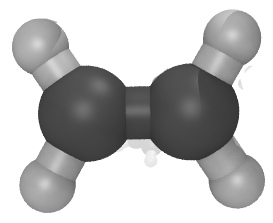

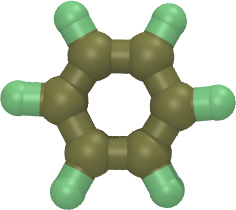

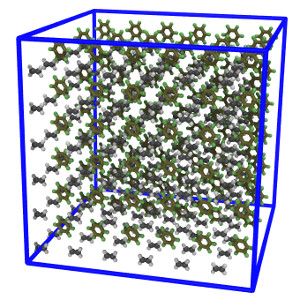
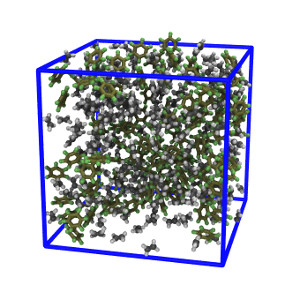 The number of molecules, positions, and simulation box size can be controlled by editing the [system.lt file](moltemplate_files/system.lt). The simulation contitions can be controlled by editing the [run.in.npt file](run.in.npt).
## Instructions
1) To build the files which LAMMPS needs, follow the instructions in:
[README_setup.sh](README_setup.sh)
2) To run LAMMPS with these files, follow these instructions:
[README_run.sh](README_run.sh)
(The instructions in "README_remove_irrelevant_info.sh" are optional. *(If you notice a problem with this example, please [report it](../README.md).*)
### Customizing atomic charges
In this example, atomic charge for OPLSAA atoms is determined by @atom type
*(...according to a lookup table located at the beginning of the
["oplsaa2024.lt"](../../../moltemplate/force_fields/oplsaa2024.lt) file)*.
*(Any atomic charges listed in the "Data Atoms" section of your molecules'
LT files will be ignored.)*
**These charges can be overridden.**
See [here](../README.md#Customizing-atomic-charges-in-OPLSAA-molecules)
for instructions explaining how to customize atomic charge.